Seedance 2.5 Flash: A New Way to Create AI-Powered Videos
Content creators, marketers, and businesses are finding creating images and videos more and more effortless via AI. As…

Trying to run a controller test on the TV's own browser app rather than getting a laptop out. The controller is paired to the TV and works for navigating the TV interface itself. Open the browser and go to a tester page and it sees no controller at all, no matter what I press. Is that a limitation of TV browsers, something I need to enable, or should I just stop trying and use a laptop?
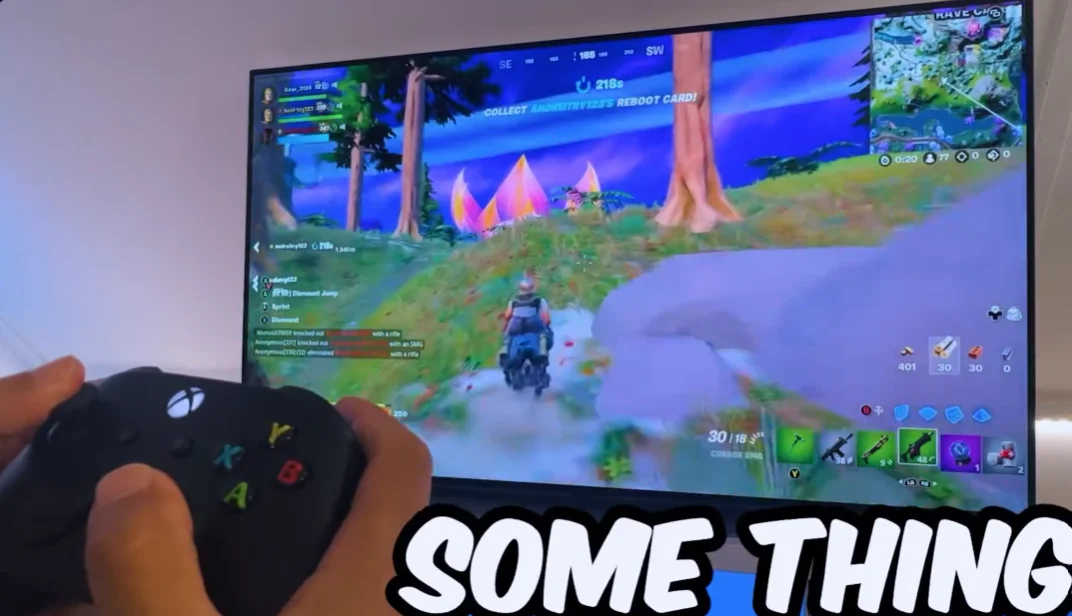
Almost certainly a TV browser limitation. Most smart TV browsers do not implement the Gamepad API at all, even when the TV itself uses the controller for navigation. Use a phone instead.

This is a platform limitation rather than something you have missed, and it is worth explaining because the TV using the controller for its own navigation makes it look like it should work.
Two separate things are going on. The TV's own interface reads the controller at the operating system level, as a navigation device, in the same way it would read a remote. That is the TV's software talking to a paired Bluetooth device and it has nothing to do with the browser. The browser, meanwhile, needs the Gamepad API to be implemented in its engine, and most smart TV browsers are cut-down builds that leave out a long list of APIs, the Gamepad API among them. So the controller is visible to the TV and invisible to the page, with no setting that bridges the two.
This varies by TV platform and by year, and some newer sets based on more complete browser engines do expose it, so it is not universal. But in our testing most do not, and there is nothing to enable where it is absent.
There is also a second obstacle even where the API exists. The user gesture requirement means the page needs a button press while the page has focus, and on a TV browser the controller presses are often consumed by the TV's navigation layer before the page sees them, so you press a button and the TV moves the cursor rather than the page receiving an input.
So the practical answer is to use a phone. A mobile browser on Android or iOS implements the Gamepad API properly, the controller pairs to the phone easily, and you get a full test in a couple of minutes without getting a laptop out. That is genuinely the quickest route rather than a consolation.
If you want to confirm your specific TV rather than take my word for it, the test is simply whether any tester site sees the controller. If none do, it is the browser.
Tested on: DualSense CFI-ZCT1W and Xbox Model 1914 paired to four smart TV platforms of differing years, with gamepad visibility checked in each TV's built-in browser and compared against Chrome Mobile 141 and Safari iOS 18.3 on phones. Three of four TV browsers exposed no gamepad at all; the fourth exposed it but had its presses consumed by the navigation layer.
Checked by Priya Patel on . How we verify answers
Mobile Browser Compatibility Engineer at Gamepad Tester
Chris works on mobile web input. Phone browsers are the hardest place to test a controller: a Bluetooth clip-on pad may connect to the phone but stay invisible to the page, iOS and Android expose the Gamepad API at different moments, and a backgrounded tab stops polling entirely. He works through those cases so a mobile player gets the same test result a desktop player would. On Gamepad Tester he answers the mobile questions, including controllers that pair with a phone but send no input to the browser.
 Calder WrightFront-End Web Architect And Gamepad API Lead
 Elena RostovaHardware Diagnostics Engineer
 Garrett LindsayHardware Reviewer And Input Performance Specialist
 Venom’s Tech (Abhishek)Peripheral Reviewer And Tech Journalist
 Chloe HendersonHall Effect And Thumbstick Analyst
 Thiago AlvesHardware Repair Educator
 Devon MillerLow Latency And Input Timing Engineer
 Liam DaviesBluetooth And Wireless Test Engineer
Each answer is written by the specialist who owns that part of the hardware, tested on a real controller, and checked by a second team member. How we verify answers
Answers are free general guidance from the Gamepad Tester Team and the community. Opening a controller or replacing a thumbstick module can void your warranty, so check the maker's support or warranty first. Battery and soldering work carries a real risk of damage or injury.
Every test runs in your own browser with the Gamepad API. No sign up, no download, and your controller data never leaves your device.
Content creators, marketers, and businesses are finding creating images and videos more and more effortless via AI. As…
Ask ChatGPT how to check a controller for stick drift, or which pad to buy next, and the answer you get is no longer…
Plenty of controller blogs start the same way. You fix your own stick drift, write up what worked, and realize you…
The newest replies from players and the Gamepad Tester Team.