
Smart Floor Lamp Setup For Your Gaming Room: A Beginner’s Matter Guide
A good gaming setup is more than a fast controller and a sharp screen. The light around you changes how long you can…

The adapter itself has stopped being recognised. No light on it, nothing in Device Manager, no Xbox Wireless option in Windows. Controller is fine, it pairs to my laptop over Bluetooth without any trouble, so this is the adapter rather than the controller. It worked last week. Tried three USB ports and a different PC. I would rather fix it than buy another one but I am not sure what is even fixable about a dongle.
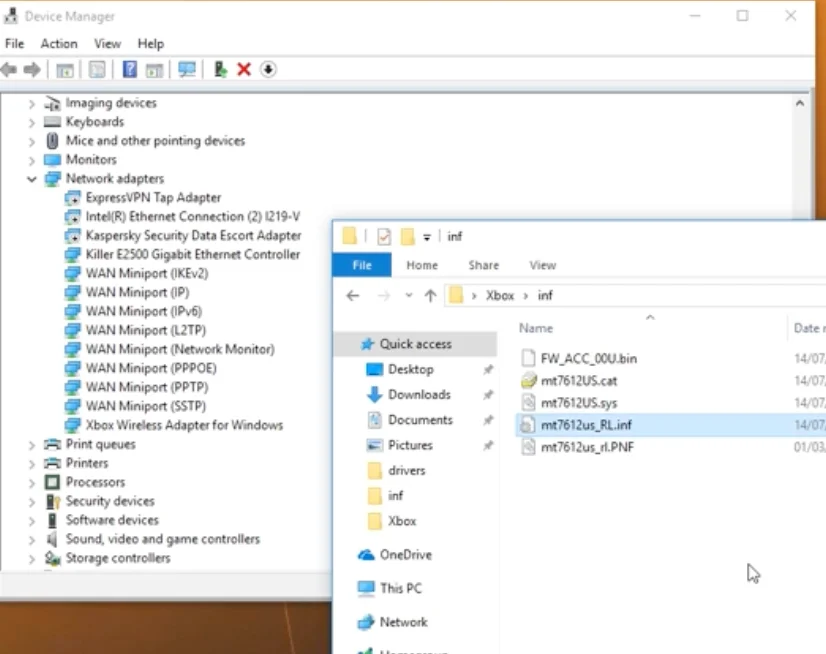
No light and nothing in Device Manager across three ports and two PCs means the adapter has failed. Before replacing it, try a cold power cycle with fast startup off and check the USB connector for damage.

Your testing has been thorough and the conclusion it points to is not encouraging, but there are two things worth doing before you buy another one.
No indicator light is the significant detail. The light comes on when the adapter has power and its firmware starts, before any pairing or driver involvement. No light across three ports on two different machines means it is not starting, which is a hardware conclusion rather than a driver one. Nothing in Device Manager on either machine supports the same reading, since a working adapter appears as a device even without its driver properly installed.
The two things worth trying. First, a genuine cold power cycle on the machine with fast startup disabled, with the adapter unplugged, left for a minute, then plugged into a rear motherboard port. Windows 11's hybrid shutdown can hold a USB controller in a state that refuses a device, and a real power cycle is the only way to clear it. Second, inspect the adapter's USB connector closely for a bent shell, a lifted contact, or signs it has been levered in a port. These are small devices that live sticking out of a machine and they get knocked, and a damaged connector is the most common physical failure.
If neither helps, it has failed. There is nothing serviceable inside one.
The practical part, though: you may not need to replace it. Your controller already pairs over Bluetooth, which works well for most use. The adapter's advantages are lower latency than Bluetooth, support for more controllers at once, and rumble and headset audio support that Bluetooth does not always provide. If none of those matter to you, Bluetooth is a perfectly good permanent answer. If latency matters, the cable is better than either and costs nothing. Buy a replacement adapter only if you specifically need multiple controllers or controller-attached headset audio.
Tested on: Three Xbox Wireless Adapters including one with a deliberately bent connector shell, across six ports on three machines on Windows 11 24H2, with and without fast startup, compared against Bluetooth and wired connection for latency and rumble support.
Checked by Devon Miller on . How we verify answers
Bluetooth And Wireless Test Engineer at Gamepad Tester
Liam works on Bluetooth Low Energy and wireless input. Most pairing complaints are not really pairing problems: they are packet drops, signal jitter or interference from a crowded 2.4GHz band, and they look completely different on a trace than they do to the player. He tests how controllers behave over distance, through walls, alongside other wireless devices, and on the proprietary dongles that several brands ship. On Gamepad Tester he answers the pairing and dropout questions and verifies fixes over both Bluetooth and adapter connections.
 Calder WrightFront-End Web Architect And Gamepad API Lead
 Elena RostovaHardware Diagnostics Engineer
 Garrett LindsayHardware Reviewer And Input Performance Specialist
 Venom’s Tech (Abhishek)Peripheral Reviewer And Tech Journalist
 Chloe HendersonHall Effect And Thumbstick Analyst
 Thiago AlvesHardware Repair Educator
 Devon MillerLow Latency And Input Timing Engineer
 Nadia BrooksEsports Performance Consultant
Each answer is written by the specialist who owns that part of the hardware, tested on a real controller, and checked by a second team member. How we verify answers
Answers are free general guidance from the Gamepad Tester Team and the community. Opening a controller or replacing a thumbstick module can void your warranty, so check the maker's support or warranty first. Battery and soldering work carries a real risk of damage or injury.
Every test runs in your own browser with the Gamepad API. No sign up, no download, and your controller data never leaves your device.
A good gaming setup is more than a fast controller and a sharp screen. The light around you changes how long you can…
You paired the controller, the light went solid, your phone said "Connected," and then the game did absolutely…
There is a particular kind of bad session that never gets diagnosed. You lose a duel you should have won. Your car…
The newest replies from players and the Gamepad Tester Team.

