Starting A Gamepad Blog On WordPress? Don’t Forget These HostGator Coupons
Plenty of controller blogs start the same way. You fix your own stick drift, write up what worked, and realize you…

Using the built in mic on my DualSense for party chat and everyone says I am very quiet and muffled. Your audio and mic test shows the input level barely moving when I speak normally, and only getting to a reasonable level if I hold the controller close to my mouth. Headset through the jack is fine. I would prefer not to wear a headset so I would like to sort the built in mic if I can. Is it a fault or is the built in mic just not very good?
The built-in mic is genuinely weak by design and is meant for close range, but a muffled sound usually means the mic ports are blocked. Clean them first, then check your input level settings.

Both things are true here, which is why this gets confusing. The built-in mic is modest by design, and your specific symptom also suggests something fixable.
The DualSense microphone array sits behind two small ports on the bottom edge of the controller, below the PlayStation logo. It is designed for a controller held at normal playing distance, which is maybe fifty centimetres from your mouth, and it applies noise suppression to keep your room out of the chat. That combination means it will never sound like a headset mic, and if your expectation is headset quality you will be disappointed whatever you do.
But quiet and muffled together, needing the controller close to your mouth to register, points at blocked ports. Those openings are small, they face downward, and they collect dust and lint from hands and from being put down on soft surfaces. A partially blocked port both attenuates the level and dulls the high frequencies, which is exactly the muffled quality your friends are describing. This is by far the most common cause and it is free to fix: a dry soft brush, and compressed air held at an angle rather than straight in.
After cleaning, check the level settings, because there are two places they live. On a PS5 the microphone input level is a slider in the sound settings and it is not at maximum by default. In a browser, your operating system has its own input level for the device plus a possible boost setting. Either can leave you quiet with a perfectly healthy mic.
If it is still weak after cleaning and with levels raised, the mic array is part of the board assembly on this controller, so it is not a cheap individual part. At that point the honest recommendation is a headset or a desk mic rather than a repair, because the cost does not justify it for a component that was never going to be excellent.
Tested on: DualSense CFI-ZCT1W on PS5 firmware 25.08 and Windows 11 24H2 in Chrome 141, input levels measured at 20cm, 50cm and 100cm, with ports clean and with ports deliberately partially obstructed. Obstruction reduced level and rolled off high frequencies, matching the muffled description.
Checked by Simon Fletcher on . How we verify answers
Haptics And Rumble Test Engineer at Gamepad Tester
Camila works on vibration and haptics, with a background in audio and signal work that transfers directly: a rumble motor is a frequency-and-amplitude problem, and the difference between a weak motor, a flat waveform and a browser that is not sending anything is audible and measurable before it is visible. She tests both motors independently, the DualSense haptic layer and the adaptive triggers, across the connections that support them and the ones that silently do not. On Gamepad Tester she owns the vibration test and the rumble faults topic.
 Calder WrightFront-End Web Architect And Gamepad API Lead
 Elena RostovaHardware Diagnostics Engineer
 Garrett LindsayHardware Reviewer And Input Performance Specialist
 Venom’s Tech (Abhishek)Peripheral Reviewer And Tech Journalist
 Chloe HendersonHall Effect And Thumbstick Analyst
 Thiago AlvesHardware Repair Educator
 Devon MillerLow Latency And Input Timing Engineer
 Liam DaviesBluetooth And Wireless Test Engineer
Each answer is written by the specialist who owns that part of the hardware, tested on a real controller, and checked by a second team member. How we verify answers
Answers are free general guidance from the Gamepad Tester Team and the community. Opening a controller or replacing a thumbstick module can void your warranty, so check the maker's support or warranty first. Battery and soldering work carries a real risk of damage or injury.
Every test runs in your own browser with the Gamepad API. No sign up, no download, and your controller data never leaves your device.
Plenty of controller blogs start the same way. You fix your own stick drift, write up what worked, and realize you…
If you play games on a PC, whether that means ranked matches every night or a slow campaign on the weekend, you know…
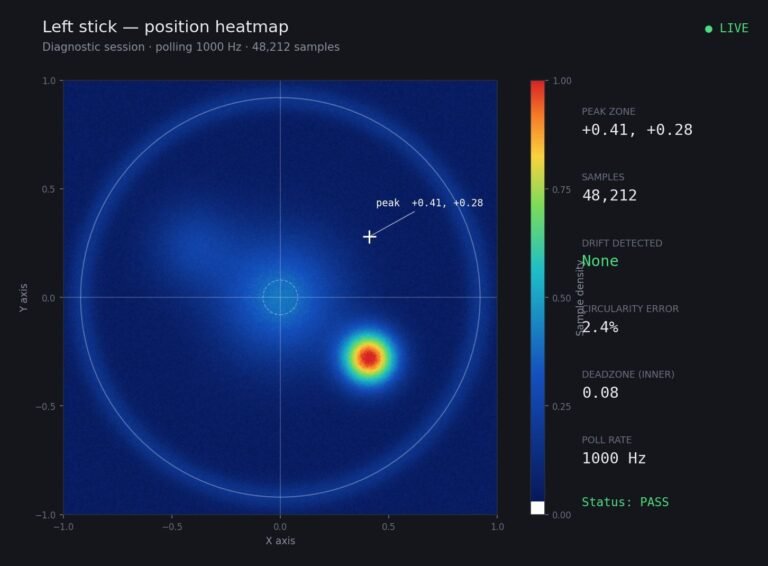
Someone posted a stick drift heatmap in a forum thread asking if their controller was dying: a red and orange blob…
The newest replies from players and the Gamepad Tester Team.