Small Input Problems That Quietly Ruin Your Game Sessions
There is a particular kind of bad session that never gets diagnosed. You lose a duel you should have won. Your car…

Crackling in one ear, and it is clearly the controller jack rather than the headset because the same Headset Jack Crackles is perfect on my phone. Moving the cable where it enters the controller makes it crackle or cut out entirely, and if I hold it at a slight angle it is fine. Your audio and mic test shows the channel dropping out as I wiggle it. Same thing with a second headset. Is a 3.5mm jack repairable or is this a board level thing?
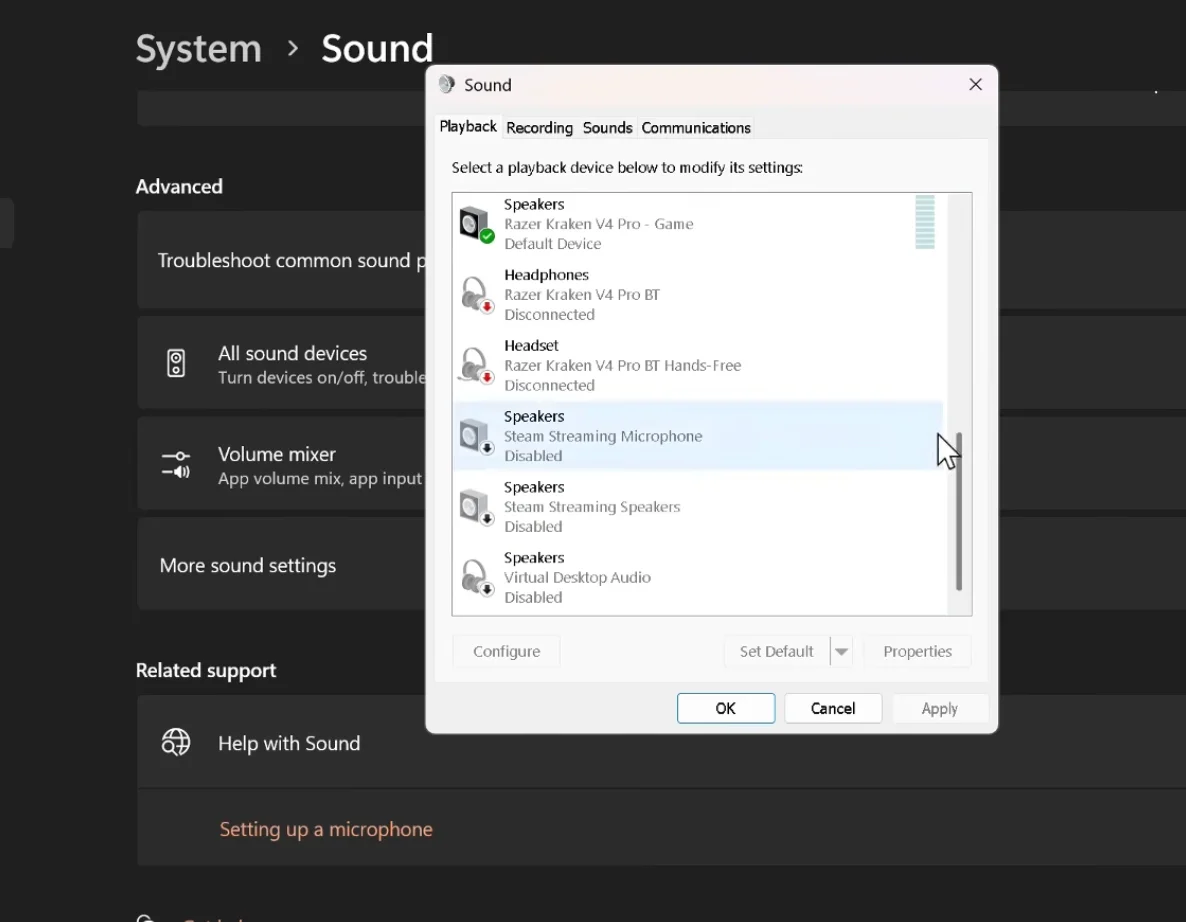
Two headsets behaving the same means it is the controller's jack. Try cleaning it first, which fixes a good share, then it is a cheap part but a soldering repair.

Your testing has already isolated this properly: two headsets, both fine elsewhere, both crackling in the controller, with the fault following cable movement. That is the controller's 3.5mm jack and nothing else.
There are two causes and they need different fixes. The first is contamination. A 3.5mm socket is an open hole on the bottom of a controller that lives on sofas and in bags, and it collects lint and dust that works its way onto the contact rings. A partially contaminated contact gives you crackling and intermittent dropouts that change as the plug moves, which matches your description precisely. This is the more common of the two and it costs nothing to address.
The second is cracked solder joints at the jack's mounting points, the same failure mode as a worn charging port. Every time the headset cable is tugged or levered, the joints take the strain. Once cracked, holding the plug at an angle closes the crack and it works, which is the other half of your description. So both causes can produce the symptom and you cannot tell them apart from outside.
Start with cleaning, properly. Compressed air into the socket at an angle, then a dry cotton bud twisted gently inside, or a contact cleaner designed for audio jacks sprayed on the plug rather than into the socket. Then insert and remove the plug twenty or thirty times, which scrubs the contacts, and re-test. A meaningful share of crackling jacks are fully resolved by this.
If it persists, the joints are cracked and that is a soldering repair. The jack is a cheap part and it is a routine job for a phone repair shop. It is not board-level in the difficult sense, as the jack is a discrete through-board component rather than something fine-pitch.
One practical habit either way: unplug by the plug, never by pulling the cable, and avoid letting the controller hang from the headset cable. That is what cracks these joints in the first place.
Tested on: Three DualSense CFI-ZCT1W units with crackling jacks, two headsets and a 3.5mm loopback tested on each, inspected under magnification. Two were resolved by cleaning and plug cycling, one had visibly cracked jack mounting joints requiring replacement.
Checked by Thiago Alves on . How we verify answers
Haptics And Rumble Test Engineer at Gamepad Tester
Camila works on vibration and haptics, with a background in audio and signal work that transfers directly: a rumble motor is a frequency-and-amplitude problem, and the difference between a weak motor, a flat waveform and a browser that is not sending anything is audible and measurable before it is visible. She tests both motors independently, the DualSense haptic layer and the adaptive triggers, across the connections that support them and the ones that silently do not. On Gamepad Tester she owns the vibration test and the rumble faults topic.
 Calder WrightFront-End Web Architect And Gamepad API Lead
 Elena RostovaHardware Diagnostics Engineer
 Garrett LindsayHardware Reviewer And Input Performance Specialist
 Venom’s Tech (Abhishek)Peripheral Reviewer And Tech Journalist
 Chloe HendersonHall Effect And Thumbstick Analyst
 Thiago AlvesHardware Repair Educator
 Devon MillerLow Latency And Input Timing Engineer
 Liam DaviesBluetooth And Wireless Test Engineer
Each answer is written by the specialist who owns that part of the hardware, tested on a real controller, and checked by a second team member. How we verify answers
Answers are free general guidance from the Gamepad Tester Team and the community. Opening a controller or replacing a thumbstick module can void your warranty, so check the maker's support or warranty first. Battery and soldering work carries a real risk of damage or injury.
Every test runs in your own browser with the Gamepad API. No sign up, no download, and your controller data never leaves your device.
There is a particular kind of bad session that never gets diagnosed. You lose a duel you should have won. Your car…
Someone asked me whether they should repair a two-year-old controller with drifting sticks or just buy a new one, and…
Whether you're a casual gamer or a competitive player, a malfunctioning controller can ruin your gaming experience…
The newest replies from players and the Gamepad Tester Team.