
Playing Mobile Games With A Controller: What Works, What Doesn’t, And What To Test Before You Spend
You paired the controller, the light went solid, your phone said "Connected," and then the game did absolutely…

Windows lists my controller twice, two entries for the same physical pad, and the browser also shows two gamepads when only one is connected. Games pick one at random and sometimes split inputs across both, so sticks work and buttons do not. If I use the cable only it is fine, one device. It is when Bluetooth is also paired that I get the duplicate. Presumably it is being seen on both connections at once but I cannot work out how to stop that cleanly.
You have diagnosed it exactly. The controller is connected over USB and Bluetooth at the same time, so Windows sees two devices. Pick one connection, and remove the other properly rather than just disconnecting.

Your diagnosis is right and the fix is straightforward, but the detail that matters is how you remove the second connection.
A controller connected over USB and paired over Bluetooth simultaneously genuinely is two devices as far as the operating system is concerned. Both present a gamepad interface, both appear in Windows and in the browser, and games have no reliable way to know they are the same physical object. Some games bind to the first they find, some to the last, and some poll both, which is what produces your split inputs where the sticks come from one device and the buttons from the other. It is one of the more confusing symptoms there is and it has a very simple cause.
Choose one connection and commit to it. For the cable, remove the controller from Windows Bluetooth settings entirely using Remove device, rather than simply disconnecting it, because a paired device can re-establish on its own the next time you power the controller on. For Bluetooth, use a charge-only cable or no cable, so the controller charges without presenting a USB interface.
The common trap is charging. People plug the controller in to charge while using it over Bluetooth, which recreates the duplicate every time. If you want that, a charge-only cable is the answer: it carries power and no data, so you charge without a second device appearing. That is the one case where a charge-only cable is genuinely useful rather than a nuisance.
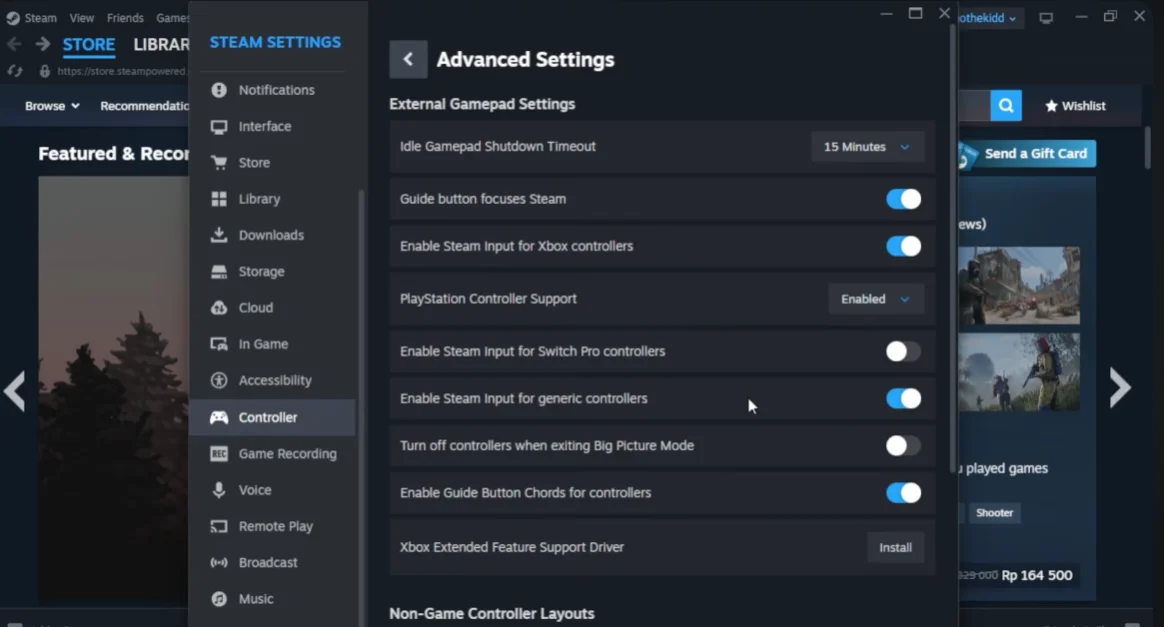
One more thing to check if duplicates persist on the cable alone. Steam creates a virtual controller when Steam Input is active, and that can also present as a second device alongside the physical one. It is usually benign, but if a game is confused and you have Steam running, toggling Steam Input for that game is worth trying as a second step.
Tested on: DualSense CFI-ZCT1W and Xbox Model 1914 connected over USB only, Bluetooth only, and both simultaneously, with Steam Input enabled and disabled, on Windows 11 24H2 in Chrome 141 and Edge 141. Simultaneous connection produced two gamepad entries in every case and split inputs in two of four tested titles.
Checked by Calder Wright on . How we verify answers
QA And Test Automation Lead at Gamepad Tester
Tyler leads test automation. Before each change to the tools here goes live, his pipelines drive simulated inputs through the pages across multiple browsers and desktop environments and compare the readings against known-good baselines. It catches the regressions manual testing misses: a button index that shifts, an axis that stops updating, a layout that breaks at one viewport. On Gamepad Tester he signs off releases of the test tools and handles the answers where the tool itself, rather than the controller, is behaving oddly.
 Calder WrightFront-End Web Architect And Gamepad API Lead
 Elena RostovaHardware Diagnostics Engineer
 Garrett LindsayHardware Reviewer And Input Performance Specialist
 Venom’s Tech (Abhishek)Peripheral Reviewer And Tech Journalist
 Chloe HendersonHall Effect And Thumbstick Analyst
 Thiago AlvesHardware Repair Educator
 Devon MillerLow Latency And Input Timing Engineer
 Liam DaviesBluetooth And Wireless Test Engineer
Each answer is written by the specialist who owns that part of the hardware, tested on a real controller, and checked by a second team member. How we verify answers
Answers are free general guidance from the Gamepad Tester Team and the community. Opening a controller or replacing a thumbstick module can void your warranty, so check the maker's support or warranty first. Battery and soldering work carries a real risk of damage or injury.
Every test runs in your own browser with the Gamepad API. No sign up, no download, and your controller data never leaves your device.
You paired the controller, the light went solid, your phone said "Connected," and then the game did absolutely…
There is a particular kind of bad session that never gets diagnosed. You lose a duel you should have won. Your car…
A shot fired half a second after I pulled the trigger, the same delay I had been chasing for two weeks, faulting…
The newest replies from players and the Gamepad Tester Team.

