Small Input Problems That Quietly Ruin Your Game Sessions
There is a particular kind of bad session that never gets diagnosed. You lose a duel you should have won. Your car…

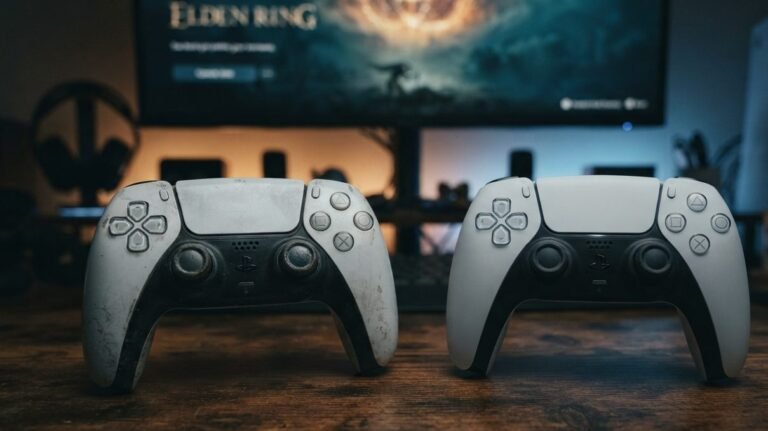
Our controllers get passed around the family and they're grubby and sticky. What can I safely clean them with? I don't want to damage the buttons or electronics. Are disinfecting wipes OK?
Turn the controller off and unplug it, then wipe it with a cloth lightly dampened with isopropyl alcohol, using cotton buds for seams. Disinfecting wipes are fine if wrung out. Never soak, spray directly or use bleach, acetone or abrasive cleaners.

Controllers handle gentle cleaning well. The rules are about keeping liquid out and avoiding harsh chemicals.
Power it off and unplug any cable. Use a soft cloth lightly dampened with isopropyl alcohol; around 70 percent is good for disinfecting and evaporates quickly. The cloth should be damp, not dripping. Wipe the grips, face and triggers, then use cotton buds dampened the same way for the seams, around the buttons and the base of the sticks.
Disinfecting wipes are fine if you squeeze out excess liquid first, so nothing runs into the gaps. Spray cleaners should go on the cloth, never directly on the controller.
Avoid bleach, acetone, ammonia-based cleaners and abrasive pads. They can strip coatings, cloud clear plastic and damage rubber grips. Never soak or rinse a controller.
For sticky buttons, work each button several times while cleaning its edge with a cotton bud. Let everything dry for a few minutes before turning it on.
Afterwards, a quick run through the button test confirms every button still responds normally.
Tested on: Applies to DualSense, DualShock 4, Xbox and Switch controllers. Guidance reflects general electronics cleaning practice and manufacturer care advice.
Checked by Thiago Alves on . How we verify answers
Peripheral Reviewer And Tech Journalist at Gamepad Tester
Abhishek, known to his audience as Venom's Tech, is a tech journalist and peripheral reviewer who works at the budget end of the market, where quality control varies the most. He specialises in granular teardowns and comparisons of mobile clip-on controllers, cheap third-party pads and the stick modules inside them, which is where drift tends to appear first and earliest. On Gamepad Tester he covers the reviews and buying topic for mobile and budget hardware, and checks answers about third-party pads that behave differently from a first-party controller.
 Calder WrightFront-End Web Architect And Gamepad API Lead
 Elena RostovaHardware Diagnostics Engineer
 Garrett LindsayHardware Reviewer And Input Performance Specialist
 Chloe HendersonHall Effect And Thumbstick Analyst
 Thiago AlvesHardware Repair Educator
 Devon MillerLow Latency And Input Timing Engineer
 Liam DaviesBluetooth And Wireless Test Engineer
 Nadia BrooksEsports Performance Consultant
Each answer is written by the specialist who owns that part of the hardware, tested on a real controller, and checked by a second team member. How we verify answers
Answers are free general guidance from the Gamepad Tester Team and the community. Opening a controller or replacing a thumbstick module can void your warranty, so check the maker's support or warranty first. Battery and soldering work carries a real risk of damage or injury.
Every test runs in your own browser with the Gamepad API. No sign up, no download, and your controller data never leaves your device.
There is a particular kind of bad session that never gets diagnosed. You lose a duel you should have won. Your car…
Someone asked me whether they should repair a two-year-old controller with drifting sticks or just buy a new one, and…
Whether you're a casual gamer or a competitive player, a malfunctioning controller can ruin your gaming experience…
The newest replies from players and the Gamepad Tester Team.