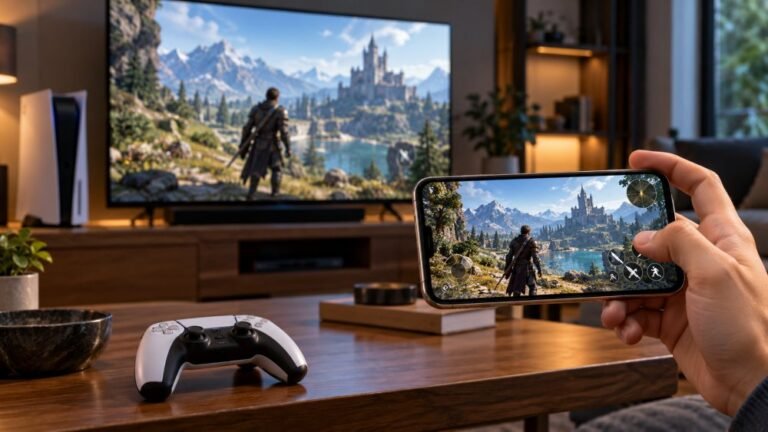
How Well Do Console Games Really Translate To Mobile Gaming?
Mobile gaming has become an increasingly popular way to enjoy video games, with smartphones now capable of running…

When I use my Xbox controller with my Android phone, pressing B in some games takes me back out of the game or closes the menu completely, like the phone's back button. In other games B works normally. Why?
Android treats a controller's B button as Back unless the app handles controller input itself. Games with proper controller support capture B; apps without it let Android treat it as Back. It is the game, not the controller.

This is how Android handles controllers. Android has a built-in rule that the B button on a controller can act as the system Back action, which is useful for moving around the phone's menus with a controller.
When a game properly supports controllers, it captures the B button and uses it as a game button, so Back never happens. When an app does not handle controller input fully, Android falls back to its default and treats B as Back. That is why B works normally in some games and exits others.
So there is nothing wrong with your controller, and our button test confirms B reports as a normal button. A few things help. Use games that list controller support, since they handle B correctly. Some phones have a game mode or game launcher that blocks system navigation while you play; turning it on can stop accidental exits. And in games with button remapping, move important actions away from B if it keeps causing trouble.
If an app is mostly touch-based and you use the controller only partly, expect B to keep acting as Back there.
Tested on: Applies to Xbox and PlayStation controllers on Android 16 with Chrome. Behaviour reflects Android's default handling of controller Back input.
Checked by Priya Patel on . How we verify answers
Front-End Performance Engineer at Gamepad Tester
Isabela works on graphics performance. A test that polls a controller continuously and repaints an SVG on every frame can saturate a budget phone's CPU, and once the frame rate drops the readings stop being trustworthy. Her work is keeping the overlays and animations cheap: minimal repaints, fewer live nodes, and a render path that degrades gracefully instead of stuttering. On Gamepad Tester she is responsible for the performance of the tools on mobile and low-end devices.
 Calder WrightFront-End Web Architect And Gamepad API Lead
 Elena RostovaHardware Diagnostics Engineer
 Garrett LindsayHardware Reviewer And Input Performance Specialist
 Venom’s Tech (Abhishek)Peripheral Reviewer And Tech Journalist
 Chloe HendersonHall Effect And Thumbstick Analyst
 Thiago AlvesHardware Repair Educator
 Devon MillerLow Latency And Input Timing Engineer
 Liam DaviesBluetooth And Wireless Test Engineer
Each answer is written by the specialist who owns that part of the hardware, tested on a real controller, and checked by a second team member. How we verify answers
Answers are free general guidance from the Gamepad Tester Team and the community. Opening a controller or replacing a thumbstick module can void your warranty, so check the maker's support or warranty first. Battery and soldering work carries a real risk of damage or injury.
Every test runs in your own browser with the Gamepad API. No sign up, no download, and your controller data never leaves your device.
Mobile gaming has become an increasingly popular way to enjoy video games, with smartphones now capable of running…
There is a particular kind of bad session that never gets diagnosed. You lose a duel you should have won. Your car…
Gaming does not always have to be complicated. Many players enjoy games that are easy to pick up and fun to play…
The newest replies from players and the Gamepad Tester Team.