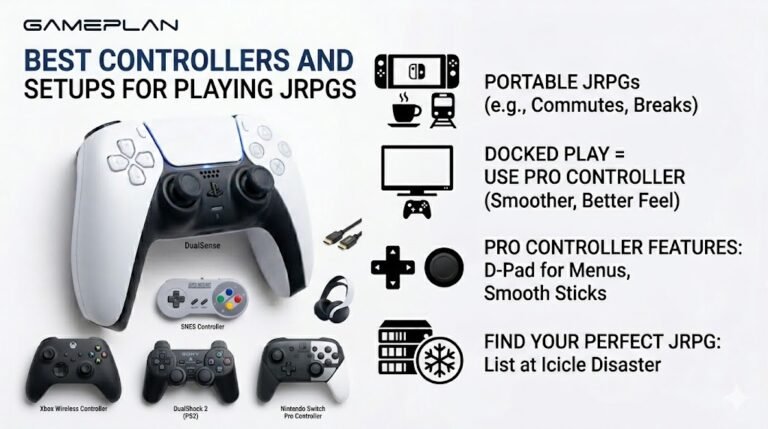
Best Controllers and Setups for Playing JRPGs
Nobody ever talks about controller ergonomics when they recommend JRPGs, and honestly, that is a mistake. These are…

My headphones on my iPhone don't go as loud as they used to, it feels like there's a limit. Your sound test is noticeably quieter than on my laptop. Did an update cap it?
iPhone has a Headphone Safety feature called Reduce Loud Audio that caps headphone volume at a chosen level. Check Settings, Sounds and Haptics, Headphone Safety. If it is on, raise the limit or turn it off, keeping listening levels safe.

That sounds like Reduce Loud Audio, part of the iPhone's Headphone Safety settings. When it is on, the iPhone measures headphone audio and quietly lowers anything above a level you choose. It can be switched on during setup, by a family sharing parent, or by accident, and it makes headphones feel capped.
Open Settings, Sounds and Haptics, then Headphone Safety. If Reduce Loud Audio is on, you will see the decibel level it is limiting to. You can raise the level or turn it off. If the setting is greyed out, it may be set through Screen Time restrictions.
Also check that Sound Check in Music settings is not lowering music, and that the headphones' own app does not have a volume limit.
The feature exists for a good reason. Listening at high levels for long periods can damage hearing gradually. Rather than turning it off entirely, many people raise the limit slightly, which keeps a safety ceiling while restoring the loudness they need.
Tested on: Applies to iPhone with iOS 26 and wired or Bluetooth headphones. Setting path per iOS Sounds and Haptics settings.
Checked by Priya Patel on . How we verify answers
Mobile Browser Compatibility Engineer at Gamepad Tester
Chris works on mobile web input. Phone browsers are the hardest place to test a controller: a Bluetooth clip-on pad may connect to the phone but stay invisible to the page, iOS and Android expose the Gamepad API at different moments, and a backgrounded tab stops polling entirely. He works through those cases so a mobile player gets the same test result a desktop player would. On Gamepad Tester he answers the mobile questions, including controllers that pair with a phone but send no input to the browser.
 Calder WrightFront-End Web Architect And Gamepad API Lead
 Elena RostovaHardware Diagnostics Engineer
 Garrett LindsayHardware Reviewer And Input Performance Specialist
 Venom’s Tech (Abhishek)Peripheral Reviewer And Tech Journalist
 Chloe HendersonHall Effect And Thumbstick Analyst
 Thiago AlvesHardware Repair Educator
 Devon MillerLow Latency And Input Timing Engineer
 Liam DaviesBluetooth And Wireless Test Engineer
Each answer is written by the specialist who owns that part of the hardware, tested on a real controller, and checked by a second team member. How we verify answers
Answers are free general guidance from the Gamepad Tester Team and the community. Opening a controller or replacing a thumbstick module can void your warranty, so check the maker's support or warranty first. Battery and soldering work carries a real risk of damage or injury.
Every test runs in your own browser with the Gamepad API. No sign up, no download, and your controller data never leaves your device.
Nobody ever talks about controller ergonomics when they recommend JRPGs, and honestly, that is a mistake. These are…
Content creators, marketers, and businesses are finding creating images and videos more and more effortless via AI. As…
Bilibili Gaming defeated G2 Esports 3-1 in São Paulo on March 22, 2026, to win an international League of Legends…
The newest replies from players and the Gamepad Tester Team.

