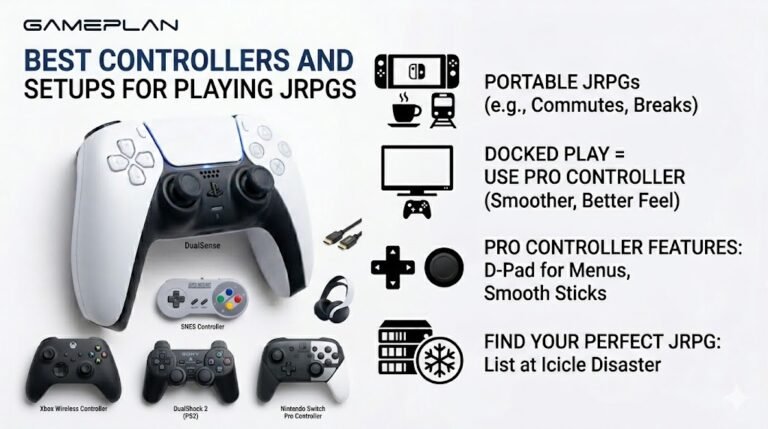
Best Controllers and Setups for Playing JRPGs
Nobody ever talks about controller ergonomics when they recommend JRPGs, and honestly, that is a mistake. These are…

I connected my PC to my monitor with built-in speakers over HDMI. Picture is fine but no sound comes out. The sound test plays nothing through the monitor. How do I make audio go through HDMI?
Windows needs to send audio to the monitor as its output device. In Sound settings, choose the monitor or the graphics card's HDMI audio device. Check the monitor's own volume and mute, and install the graphics driver's audio component.

HDMI carries sound as well as picture, but Windows does not always switch to it automatically. It may still be sending audio to your PC's speakers or headphone jack.
Open Settings, System, Sound, and look at the output list. The monitor usually appears under its name, or as an audio device from your graphics card, such as NVIDIA High Definition Audio or AMD High Definition Audio. Select it and run the sound test.
If it is missing, the graphics driver's audio part may not be installed. Reinstall the graphics driver and make sure its HD audio component is included.
Then check the monitor. Built-in monitor speakers have their own volume and mute in the monitor's menu, often set very low by default. Some monitors also have an audio source setting that needs to be HDMI rather than an analog input.
If you use DisplayPort instead, the same applies: DisplayPort also carries audio.
Once it works, our sound test confirms left and right channels play through the monitor speakers.
Tested on: Applies to monitors and TVs with speakers connected over HDMI or DisplayPort on Windows 11. Steps per Microsoft's sound troubleshooting guide.
Checked by Alistair Thorne on . How we verify answers
Front-End Performance Engineer at Gamepad Tester
Isabela works on graphics performance. A test that polls a controller continuously and repaints an SVG on every frame can saturate a budget phone's CPU, and once the frame rate drops the readings stop being trustworthy. Her work is keeping the overlays and animations cheap: minimal repaints, fewer live nodes, and a render path that degrades gracefully instead of stuttering. On Gamepad Tester she is responsible for the performance of the tools on mobile and low-end devices.
 Calder WrightFront-End Web Architect And Gamepad API Lead
 Elena RostovaHardware Diagnostics Engineer
 Garrett LindsayHardware Reviewer And Input Performance Specialist
 Venom’s Tech (Abhishek)Peripheral Reviewer And Tech Journalist
 Chloe HendersonHall Effect And Thumbstick Analyst
 Thiago AlvesHardware Repair Educator
 Devon MillerLow Latency And Input Timing Engineer
 Liam DaviesBluetooth And Wireless Test Engineer
Each answer is written by the specialist who owns that part of the hardware, tested on a real controller, and checked by a second team member. How we verify answers
Answers are free general guidance from the Gamepad Tester Team and the community. Opening a controller or replacing a thumbstick module can void your warranty, so check the maker's support or warranty first. Battery and soldering work carries a real risk of damage or injury.
Every test runs in your own browser with the Gamepad API. No sign up, no download, and your controller data never leaves your device.
Nobody ever talks about controller ergonomics when they recommend JRPGs, and honestly, that is a mistake. These are…
Content creators, marketers, and businesses are finding creating images and videos more and more effortless via AI. As…
Bilibili Gaming defeated G2 Esports 3-1 in São Paulo on March 22, 2026, to win an international League of Legends…
The newest replies from players and the Gamepad Tester Team.

