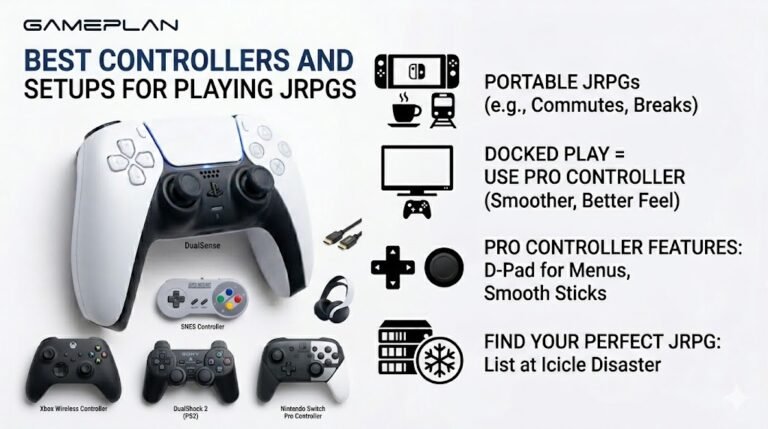
Best Controllers and Setups for Playing JRPGs
Nobody ever talks about controller ergonomics when they recommend JRPGs, and honestly, that is a mistake. These are…

In shooters I can't tell where footsteps come from, left, right, front or behind. My friends can. The headphone test left and right work fine. Is it my headphones or my settings?
If left and right test correctly, it is usually settings. Use the game's headphone audio mode, turn off extra virtual surround in Windows or the headset app if the game has its own 3D audio, and reduce music and loud effects. Left and right are easy; front and behind need good 3D audio processing.

Your headphone test result is useful: left and right are correct, so the hardware basics are fine. Telling front from behind is harder, and settings decide most of it.
Use the game's headphone mode. Many shooters have an audio output option for headphones, sometimes with built-in 3D audio processing designed for that game. It is usually better than generic virtual surround.
Do not stack processing. If the game has its own 3D audio, turn off Windows spatial sound and the headset app's virtual surround. Two layers of processing blur positions. If the game has no 3D audio, try one virtual surround option at a time and compare.
Reduce the noise. Lower music volume in the game, turn off loudness-style effects that squash everything to the same level, and avoid heavy bass boost, which can mask footsteps.
Then practise. Positional audio is partly a skill; players who seem to hear everything have often trained their ears in that game.
Check both channels again in the headphone test after changing headset app settings.
Tested on: Applies to headsets and headphones on Windows 11 for PC games. Channel test per MDN's Web Audio API documentation.
Checked by Simon Fletcher on . How we verify answers
Esports Performance Consultant at Gamepad Tester
Nadia works with competitive players on the hardware side of performance. Before a tournament a pad needs more than a working-not-working check: she profiles input latency across the exact connection the player will use, confirms both sticks read consistently through their full range, and checks that nothing drifts once the controller is warm. A pad that passes is cleared for play; one that does not is replaced rather than argued about. On Gamepad Tester she answers the competitive and performance questions, and reviews answers that tell a player their controller is good enough.
 Calder WrightFront-End Web Architect And Gamepad API Lead
 Elena RostovaHardware Diagnostics Engineer
 Garrett LindsayHardware Reviewer And Input Performance Specialist
 Venom’s Tech (Abhishek)Peripheral Reviewer And Tech Journalist
 Chloe HendersonHall Effect And Thumbstick Analyst
 Thiago AlvesHardware Repair Educator
 Devon MillerLow Latency And Input Timing Engineer
 Liam DaviesBluetooth And Wireless Test Engineer
Each answer is written by the specialist who owns that part of the hardware, tested on a real controller, and checked by a second team member. How we verify answers
Answers are free general guidance from the Gamepad Tester Team and the community. Opening a controller or replacing a thumbstick module can void your warranty, so check the maker's support or warranty first. Battery and soldering work carries a real risk of damage or injury.
Every test runs in your own browser with the Gamepad API. No sign up, no download, and your controller data never leaves your device.
Nobody ever talks about controller ergonomics when they recommend JRPGs, and honestly, that is a mistake. These are…
Content creators, marketers, and businesses are finding creating images and videos more and more effortless via AI. As…
Bilibili Gaming defeated G2 Esports 3-1 in São Paulo on March 22, 2026, to win an international League of Legends…
The newest replies from players and the Gamepad Tester Team.

