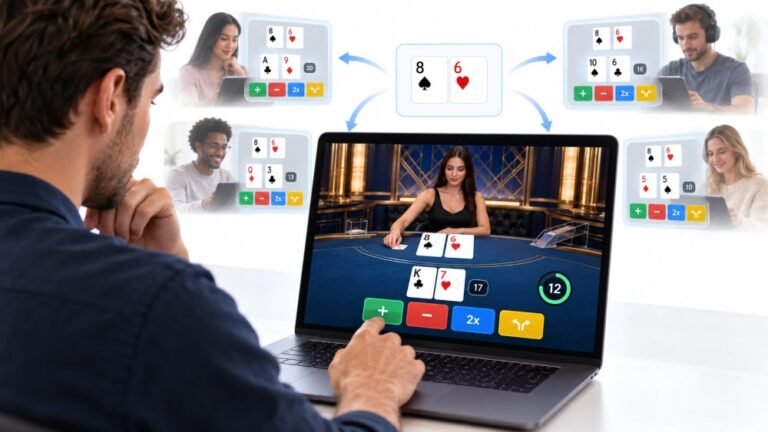
One Deal, Unlimited Inputs: How Infinite Blackjack Handles Thousands Of Decisions At Once
Every controller test starts the same way. You press a button, the screen confirms it, and for a split second you are…

While I'm typing, my cursor jumps and clicks somewhere else in the document, so text ends up in the wrong place. I think my palm is touching the touchpad. Your mouse test registers clicks when I rest my hands. How do I stop it?
Your palms are triggering tap to click. Lower the touchpad sensitivity in Windows touchpad settings, which improves palm rejection, or turn off tap to click so only physical presses click. Turning the touchpad off while a mouse is connected also helps.

Your mouse test result confirms it: resting your hands makes clicks happen. Laptop touchpads treat light taps as clicks, and the side of a palm brushing the pad while typing can count as a tap.
Windows has settings to fix this. Open Settings, Bluetooth & devices, Touchpad, then Taps.
Touchpad sensitivity. Set it to a lower sensitivity. Lower settings ignore light, brief touches, which improves palm rejection a lot while still allowing deliberate taps.
Tap to click. If it still happens, turn off tapping with a single finger to click. Then only a physical press of the touchpad clicks, which palms rarely do by accident.
If you use a mouse most of the time, set the touchpad to turn off when a mouse is connected.
Some laptops have extra palm rejection settings in the maker's touchpad app. Also check the touchpad driver is up to date from the laptop maker, since palm rejection improves with good drivers.
Test again by resting your hands as you normally type while watching the mouse test.
Tested on: Applies to laptop touchpads on Windows 11. Settings per Windows Touchpad settings.
Checked by Rohan Sharma on . How we verify answers
UI And Visual Feedback Designer at Gamepad Tester
Marcus is a UI and UX designer specialising in controller mapping interfaces, with a background in real-time 3D and WebGL controller models. His work here is the visual side of diagnosis: an on-screen pad that matches the controller in the player's hands, button and trigger states that respond the instant an input is read, and a layout where an abnormal reading stands out without needing a legend. On Gamepad Tester he designs the tester interfaces and reviews answers that depend on reading the on-screen display correctly.
 Calder WrightFront-End Web Architect And Gamepad API Lead
 Elena RostovaHardware Diagnostics Engineer
 Garrett LindsayHardware Reviewer And Input Performance Specialist
 Venom’s Tech (Abhishek)Peripheral Reviewer And Tech Journalist
 Chloe HendersonHall Effect And Thumbstick Analyst
 Thiago AlvesHardware Repair Educator
 Devon MillerLow Latency And Input Timing Engineer
 Liam DaviesBluetooth And Wireless Test Engineer
Each answer is written by the specialist who owns that part of the hardware, tested on a real controller, and checked by a second team member. How we verify answers
Answers are free general guidance from the Gamepad Tester Team and the community. Opening a controller or replacing a thumbstick module can void your warranty, so check the maker's support or warranty first. Battery and soldering work carries a real risk of damage or injury.
Every test runs in your own browser with the Gamepad API. No sign up, no download, and your controller data never leaves your device.
Every controller test starts the same way. You press a button, the screen confirms it, and for a split second you are…
Is your gamepad feeling a little...lazy? Maybe your character in your favorite game isn't running when you press the…
Content creators, marketers, and businesses are finding creating images and videos more and more effortless via AI. As…
The newest replies from players and the Gamepad Tester Team.