How Well Do Console Games Really Translate To Mobile Gaming?
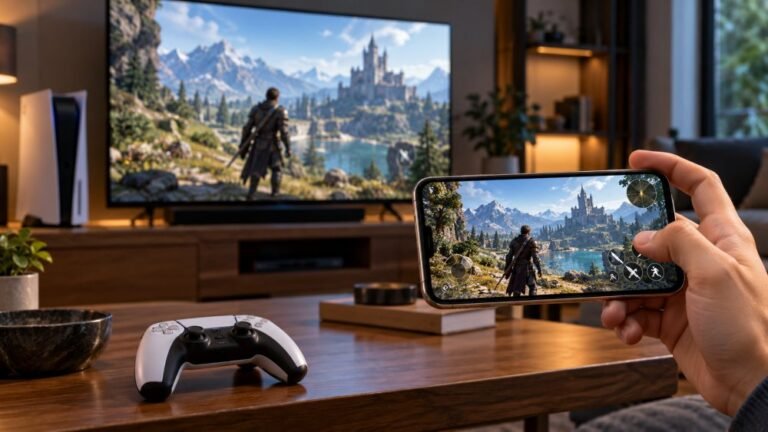
Mobile gaming has become an increasingly popular way to enjoy video games, with smartphones now capable of running…

I have a Switch Pro Controller and spare Joy-Cons. Can I use them for games on my iPhone and my daughter's Android phone instead of buying new controllers?
Yes. Recent iOS versions support the Switch Pro Controller and Joy-Cons as game controllers. Android supports them over Bluetooth too, though button layouts can vary by game. Hold the sync button to pair, then check inputs in our gamepad tester.

You can use both, which saves buying new controllers.
iPhone. Recent iOS versions support Nintendo Switch Pro Controllers and Joy-Cons as game controllers. Hold the small sync button on the controller until the lights run, then select it in Settings, Bluetooth. Games that support controllers on iOS recognise it. A pair of Joy-Cons can work as one controller in many games, using the system's controller settings.
Android. Android pairs these controllers over Bluetooth too. Many games work, but because Nintendo controllers report buttons differently, some games show the wrong prompts or mix up A and B. Game settings or controller remapping can help.
Check it works. Open our gamepad tester in Safari or Chrome on the phone, tap the page and press each button to confirm the layout before starting a game.
Re-pairing. Pairing with the phone means the controller looks for the phone next time. To use it on the Switch again, pair it from the Change Grip/Order screen or with a USB cable to the dock.
Tested on: Applies to Switch Pro Controllers and Joy-Cons with iOS 26 and Android 16. Button layout behaviour per 8BitDo's Nintendo layout notes.
Checked by Chris Evans Jr. on . How we verify answers
Mobile And WebView Compatibility Engineer at Gamepad Tester
Priya works on WebView compatibility. A large share of mobile traffic reaches a page from inside another app's embedded browser, where viewport sizing, permissions and input handling all differ from the standalone browser on the same phone. She tests how the tools scale and behave inside Android WebView containers so a player who opens a test from a link in a chat app is not handed a broken layout or a controller the page cannot see. On Gamepad Tester she reviews the mobile tooling answers.
 Calder WrightFront-End Web Architect And Gamepad API Lead
 Elena RostovaHardware Diagnostics Engineer
 Garrett LindsayHardware Reviewer And Input Performance Specialist
 Venom’s Tech (Abhishek)Peripheral Reviewer And Tech Journalist
 Chloe HendersonHall Effect And Thumbstick Analyst
 Thiago AlvesHardware Repair Educator
 Devon MillerLow Latency And Input Timing Engineer
 Liam DaviesBluetooth And Wireless Test Engineer
Each answer is written by the specialist who owns that part of the hardware, tested on a real controller, and checked by a second team member. How we verify answers
Answers are free general guidance from the Gamepad Tester Team and the community. Opening a controller or replacing a thumbstick module can void your warranty, so check the maker's support or warranty first. Battery and soldering work carries a real risk of damage or injury.
Every test runs in your own browser with the Gamepad API. No sign up, no download, and your controller data never leaves your device.
Mobile gaming has become an increasingly popular way to enjoy video games, with smartphones now capable of running…
There is a particular kind of bad session that never gets diagnosed. You lose a duel you should have won. Your car…
Gaming does not always have to be complicated. Many players enjoy games that are easy to pick up and fun to play…
The newest replies from players and the Gamepad Tester Team.