Repairing Ghost Inputs Caused by Worn Carbon Pads
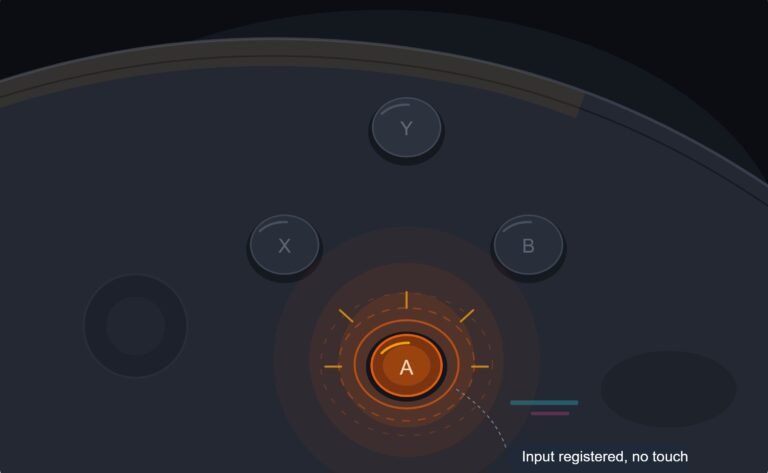
The face button registered a press I never made, a phantom input firing on its own during a menu screen while my thumb…

Got a cheap PlayStation style USB controller. Sometimes the D-pad acts like the left stick and the actual left stick does nothing. Other times it's normal. There's a MODE button with a light. On your button test I can see the D-pad lighting the stick axes. What's going on?

The MODE button switches between analog and digital modes. In one mode the D-pad drives the left stick axes and the stick is ignored. Press MODE until the light shows the mode where both work, and check the result in the button test.

That MODE button is the cause. Many budget PlayStation-style controllers copy an old feature from the original PlayStation era: an analog mode and a digital mode. In digital mode, the D-pad is reported as if it were the left stick, and the real sticks are ignored. In analog mode, the sticks work and the D-pad behaves as a normal D-pad. The light next to the button tells you which mode you are in, though which colour means what varies by brand.
The button test shows it exactly as you described: in the wrong mode, pressing the D-pad moves the stick values instead of lighting the D-pad buttons.
The fix is simply to press MODE once and test again. In the right mode, pushing the left stick moves its axis values and pressing the D-pad lights the D-pad buttons. Some controllers reset to the default mode whenever you plug them in, which is why it seemed random.
If your games need it a certain way every time, press MODE after plugging in, or check whether the controller has an X or D input switch too, since that also changes how buttons are reported.
Tested on: Applies to generic PlayStation-style USB controllers with analog and digital modes on Windows 11 with Edge or Chrome. Mapping per the W3C Gamepad specification.
Checked by Graham Norton-Smith on . How we verify answers
SVG And Interface Artist at Gamepad Tester
Rebecca creates the vector artwork behind the tester displays. Each controller is drawn as separate layers, one per button, trigger, stick and D-pad direction, so a single input can light up on its own without redrawing the whole pad. The art has to stay recognisable at phone size and legible in both light and dark surroundings, which rules out most of the detail a static illustration would carry. On Gamepad Tester she produces the controller layouts for every pad the tools support.
 Calder WrightFront-End Web Architect And Gamepad API Lead
 Elena RostovaHardware Diagnostics Engineer
 Garrett LindsayHardware Reviewer And Input Performance Specialist
 Venom’s Tech (Abhishek)Peripheral Reviewer And Tech Journalist
 Chloe HendersonHall Effect And Thumbstick Analyst
 Thiago AlvesHardware Repair Educator
 Devon MillerLow Latency And Input Timing Engineer
 Liam DaviesBluetooth And Wireless Test Engineer
Each answer is written by the specialist who owns that part of the hardware, tested on a real controller, and checked by a second team member. How we verify answers
Answers are free general guidance from the Gamepad Tester Team and the community. Opening a controller or replacing a thumbstick module can void your warranty, so check the maker's support or warranty first. Battery and soldering work carries a real risk of damage or injury.
Every test runs in your own browser with the Gamepad API. No sign up, no download, and your controller data never leaves your device.
The face button registered a press I never made, a phantom input firing on its own during a menu screen while my thumb…
Android RPGs no longer feel like small games made to fill a few spare minutes. Some now offer large open worlds…
Esports viewing has changed a lot. Fans no longer watch only for big kills, clutch rounds, final scores, or highlight…
The newest replies from players and the Gamepad Tester Team.