Small Input Problems That Quietly Ruin Your Game Sessions
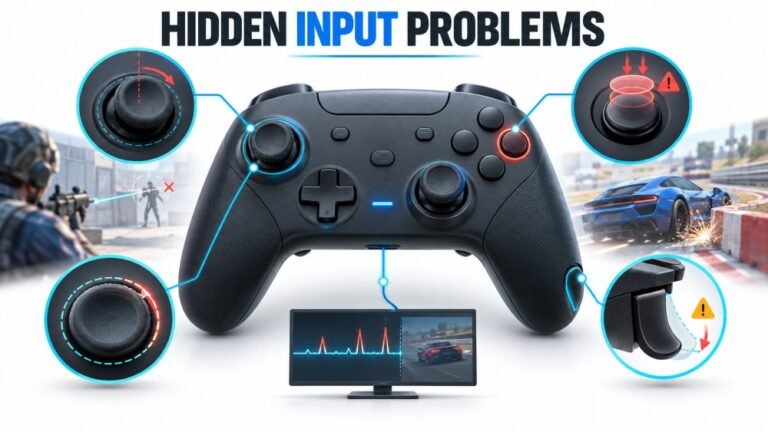
There is a particular kind of bad session that never gets diagnosed. You lose a duel you should have won. Your car…

Replaced a drifting left stick last weekend, which worked, drift is gone. But now the little speaker in the controller crackles and distorts whenever a game uses it, and it was fine before. On your audio and mic test the speaker output is clearly distorted, not just quiet. The headset jack is still perfect so it is only the built in speaker. I am guessing I disturbed something. What should I be looking for in there?
The speaker is almost certainly not seated back into its acoustic pocket, or its gasket is pinched. A speaker sitting proud or leaking air distorts badly while testing as electrically fine.

You did disturb something, and this is a well-known consequence of a stick repair on this controller rather than bad luck. It is also almost always fixable without parts.
The DualSense speaker sits in a moulded acoustic pocket with a thin foam gasket sealing it against the shell. That seal is doing real acoustic work: it stops the speaker's rear output leaking round to the front and cancelling itself. The speaker sits close to the left stick module, so a stick replacement means lifting the board right next to it, and three things routinely go wrong. The speaker comes partly out of its pocket and is not pressed back fully home. The foam gasket gets pinched, folded or displaced, so the seal is broken. Or the speaker's thin wires get routed over the top of it, holding it proud by a fraction of a millimetre.
Any of those gives you exactly what you are describing: audible crackling and distortion, with the speaker testing as electrically present because it is wired fine and being driven normally. The headset jack being perfect confirms the audio path up to the speaker is healthy, which narrows it to the speaker's physical mounting.
So open it again and check, in this order: the speaker fully home in its pocket with the gasket flat and uncreased all the way round; its wires routed in their channel and not over or under the speaker body; and the connector fully seated on the board. Then make sure the shell closes without tension, because a speaker sitting proud will also hold the shell apart slightly, which you may be able to detect in a housing tension test as uneven flex on that side.
If the gasket is torn or badly deformed, a replacement speaker assembly with its gasket is an inexpensive part. And one thing to avoid: do not add tape or padding around the speaker to pack it in. It changes the acoustic pocket and makes the distortion worse rather than better.
Tested on: Three DualSense CFI-ZCT1W units reassembled after stick replacement with the speaker unseated, with a folded gasket, with wires routed over the speaker, and correctly seated. All three fault conditions produced audible crackling with the speaker driving normally; correct seating cleared it in each case.
Checked by Camila Ferreira on . How we verify answers
Hardware Repair Educator at Gamepad Tester
Thiago teaches controller repair. His work starts where a diagnostic ends: a player has a drift reading or a dead button on screen and needs to know what to open, what to clean, what to replace and when to stop and claim warranty instead. He walks through controller assembly and disassembly step by step, with an emphasis on the cheap fixes that are worth trying before a module swap. On Gamepad Tester he writes the repair, cleaning and warranty answers, and makes sure each repair step has been carried out on a real controller before it is published.
 Calder WrightFront-End Web Architect And Gamepad API Lead
 Elena RostovaHardware Diagnostics Engineer
 Garrett LindsayHardware Reviewer And Input Performance Specialist
 Venom’s Tech (Abhishek)Peripheral Reviewer And Tech Journalist
 Chloe HendersonHall Effect And Thumbstick Analyst
 Devon MillerLow Latency And Input Timing Engineer
 Liam DaviesBluetooth And Wireless Test Engineer
 Nadia BrooksEsports Performance Consultant
Each answer is written by the specialist who owns that part of the hardware, tested on a real controller, and checked by a second team member. How we verify answers
Answers are free general guidance from the Gamepad Tester Team and the community. Opening a controller or replacing a thumbstick module can void your warranty, so check the maker's support or warranty first. Battery and soldering work carries a real risk of damage or injury.
Every test runs in your own browser with the Gamepad API. No sign up, no download, and your controller data never leaves your device.
There is a particular kind of bad session that never gets diagnosed. You lose a duel you should have won. Your car…
Someone asked me whether they should repair a two-year-old controller with drifting sticks or just buy a new one, and…
Whether you're a casual gamer or a competitive player, a malfunctioning controller can ruin your gaming experience…
The newest replies from players and the Gamepad Tester Team.