Small Input Problems That Quietly Ruin Your Game Sessions
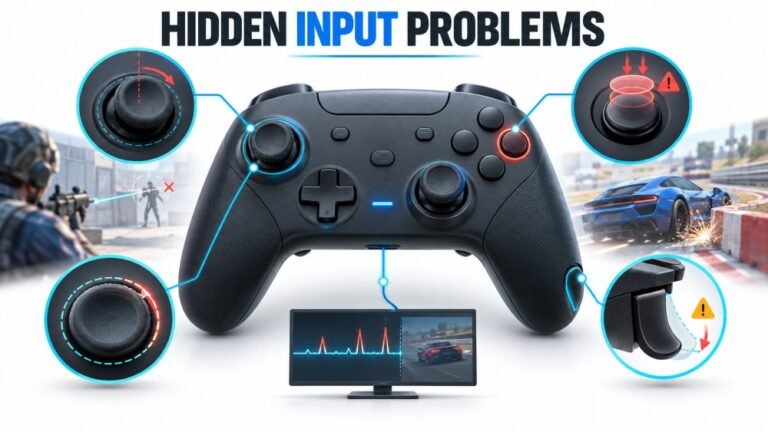
There is a particular kind of bad session that never gets diagnosed. You lose a duel you should have won. Your car…

Replaced the D-pad membrane because down had died, which fixed it, all four directions register perfectly now on your D-pad test. But it is noticeably stiffer than before and takes a firmer press, and the diagonals are harder to roll through. I know the old one was worn so some of this is probably just what a new one feels like, but it feels stiffer than the controller ever was when new. Did I fit something wrong or is this normal?
Some stiffness is normal on a new membrane, but stiffer than factory usually means an aftermarket part with a higher actuation force, or the membrane not sitting fully flat. Check it is seated before assuming the part.

Both of your theories are plausible and they are easy to separate.
A new membrane will always feel firmer than the worn one it replaced, because what wore out was the rubber's willingness to buckle. That is the fix working. But stiffer than the controller ever felt when new is a different claim, and there are two real causes.
The first is the part. Aftermarket membranes are made to a range of actuation forces and many are deliberately firmer than the factory part, either because firmer rubber lasts longer or simply because the mould is not the original. Unbranded membranes are frequently noticeably stiffer, and that is a characteristic of what you bought rather than a mistake you made. If the part came without a stated actuation force, this is the likely explanation.
The second is seating, which is worth ruling out first because it is free. A membrane that is not fully flat, with a lifted edge, a slightly stretched corner, or a dome not centred over its contacts, needs more force to reach contact and feels stiff and vague. Your detail about diagonals being harder to roll through supports this, because rolling relies on the cross tilting smoothly over domes that are all at the same height, and one proud dome spoils it.
So open it, lift the membrane out and refit it carefully: flat all over, each dome centred on its contact pair, no lifted edge, and the locating features engaged. Also check the D-pad cross sits properly on its pivot and that no part of the membrane is trapped under the cross's edge.
If it is properly seated and still stiff, it is the part. A factory-specification membrane, or a named brand that states its actuation force, will give you the original feel, and it is cheap enough that it is worth buying the right one rather than living with it.
Tested on: Xbox Wireless Controller Model 1914 with factory, named-brand and unbranded D-pad membranes fitted, each seated correctly and with a deliberately lifted edge, with actuation force and diagonal roll assessed. Unbranded parts measured materially firmer than factory, and a lifted edge added further force and spoiled diagonal rolling on every part tested.
Checked by Matheus Lima on . How we verify answers
Endurance Tester And Controller Reviewer at Gamepad Tester
Oliver runs endurance trials. A controller that feels excellent in the shop can lose its button feel in months, so his testing deliberately pushes mechanical face-button switches, bumpers and triggers through extended, repeated actuation to see how quickly tactility and elasticity fall away. The same approach applies to stick modules and to the rubber on the sticks themselves. On Gamepad Tester he contributes the long-term reliability side of the buying guides, and verifies answers about buttons that have gone soft, mushy or inconsistent with age.
 Calder WrightFront-End Web Architect And Gamepad API Lead
 Elena RostovaHardware Diagnostics Engineer
 Garrett LindsayHardware Reviewer And Input Performance Specialist
 Venom’s Tech (Abhishek)Peripheral Reviewer And Tech Journalist
 Chloe HendersonHall Effect And Thumbstick Analyst
 Thiago AlvesHardware Repair Educator
 Devon MillerLow Latency And Input Timing Engineer
 Liam DaviesBluetooth And Wireless Test Engineer
Each answer is written by the specialist who owns that part of the hardware, tested on a real controller, and checked by a second team member. How we verify answers
Answers are free general guidance from the Gamepad Tester Team and the community. Opening a controller or replacing a thumbstick module can void your warranty, so check the maker's support or warranty first. Battery and soldering work carries a real risk of damage or injury.
Every test runs in your own browser with the Gamepad API. No sign up, no download, and your controller data never leaves your device.
There is a particular kind of bad session that never gets diagnosed. You lose a duel you should have won. Your car…
Someone asked me whether they should repair a two-year-old controller with drifting sticks or just buy a new one, and…
Whether you're a casual gamer or a competitive player, a malfunctioning controller can ruin your gaming experience…
The newest replies from players and the Gamepad Tester Team.