Repairing Ghost Inputs Caused by Worn Carbon Pads
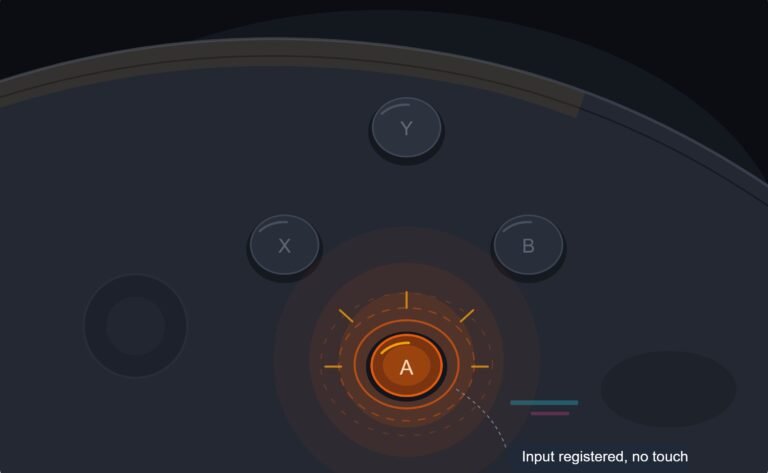
The face button registered a press I never made, a phantom input firing on its own during a menu screen while my thumb…

Press up and I get up plus right about half the time. Press right and sometimes I get right plus down. Your D-Pad test shows both lighting up together so it is not me imagining it in games. Pad is 18 months old, no drops, no spills. This absolutely murders me in platformers and in anything with a radial menu. Is the D-pad knackered or is there a trick to it?
The D-pad cross is pivoting too freely, so one press bridges two domes. Usually it is a worn pivot post or debris under the cross, and both are fixable without new parts.

Nothing is imagining anything, and this is a specific and well understood failure that is almost always repairable.
The D-pad on this controller is one plastic cross sitting on a central pivot post, with four conductive domes underneath it. When you press a direction, the cross is supposed to tilt on that pivot so only one dome is compressed. If the pivot post wears, or the cross sits a fraction too low because debris has packed under it, the cross stops tilting cleanly and starts to depress like a flat plate. The direction you pressed goes down first, and the neighbouring dome follows a moment later. That is your diagonal, and it explains why it happens on some presses and not others: it depends on exactly where on the pad your thumb lands.
The reason your test result is useful is that it rules out the alternative. If the board or the membrane were at fault you would see a dead direction or a direction that does not register, not two registering together. Two at once is a mechanical geometry problem above the membrane, not an electrical one below it.
Start by cleaning under the cross, because packed dust and skin oil are genuinely the most common cause at 18 months, and it costs you nothing. If the diagonals persist after cleaning, look closely at the central pivot post. A worn post is visible once you know to look: the tip is flattened or shiny rather than sharply formed. A new D-pad cross is a very cheap part and swapping it restores the tilt. If the post is on the shell rather than the cross on your revision, a replacement shell half is still inexpensive.
Tested on: Xbox Wireless Controller Model 1914 firmware 5.21.3, wired USB-C, Windows 11 24H2, Chrome 141. Reproduced diagonals on two 18-month units by packing debris under the cross, and again on one unit with a visibly worn pivot post. Both cleared after cleaning and a cross replacement respectively.
Checked by Thiago Alves on . How we verify answers
Endurance Tester And Controller Reviewer at Gamepad Tester
Oliver runs endurance trials. A controller that feels excellent in the shop can lose its button feel in months, so his testing deliberately pushes mechanical face-button switches, bumpers and triggers through extended, repeated actuation to see how quickly tactility and elasticity fall away. The same approach applies to stick modules and to the rubber on the sticks themselves. On Gamepad Tester he contributes the long-term reliability side of the buying guides, and verifies answers about buttons that have gone soft, mushy or inconsistent with age.
 Calder WrightFront-End Web Architect And Gamepad API Lead
 Elena RostovaHardware Diagnostics Engineer
 Garrett LindsayHardware Reviewer And Input Performance Specialist
 Venom’s Tech (Abhishek)Peripheral Reviewer And Tech Journalist
 Chloe HendersonHall Effect And Thumbstick Analyst
 Thiago AlvesHardware Repair Educator
 Devon MillerLow Latency And Input Timing Engineer
 Liam DaviesBluetooth And Wireless Test Engineer
Each answer is written by the specialist who owns that part of the hardware, tested on a real controller, and checked by a second team member. How we verify answers
Answers are free general guidance from the Gamepad Tester Team and the community. Opening a controller or replacing a thumbstick module can void your warranty, so check the maker's support or warranty first. Battery and soldering work carries a real risk of damage or injury.
Every test runs in your own browser with the Gamepad API. No sign up, no download, and your controller data never leaves your device.
The face button registered a press I never made, a phantom input firing on its own during a menu screen while my thumb…
Android RPGs no longer feel like small games made to fill a few spare minutes. Some now offer large open worlds…
Esports viewing has changed a lot. Fans no longer watch only for big kills, clutch rounds, final scores, or highlight…
The newest replies from players and the Gamepad Tester Team.