Small Input Problems That Quietly Ruin Your Game Sessions
There is a particular kind of bad session that never gets diagnosed. You lose a duel you should have won. Your car…

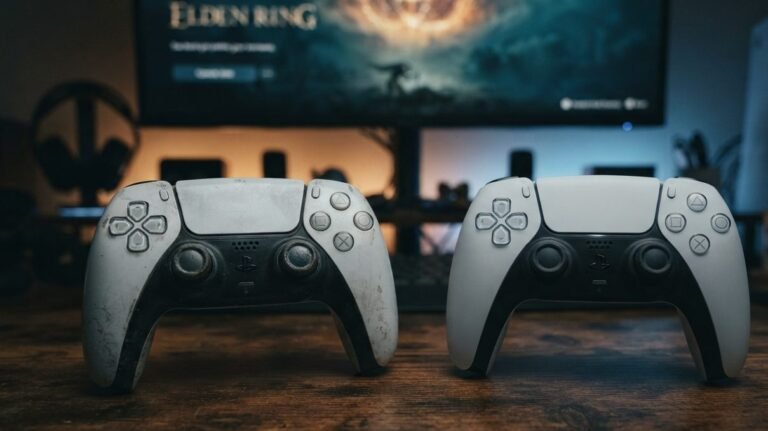
The rubber on my left PS5 stick has worn through and torn at the edge. It still works but feels slippery and my thumb slides off in long sessions. Does a worn cap affect the stick readings or drift? Can I replace just the cap?
A torn cap does not change the sensor readings, so it will not cause drift by itself. It does hurt grip and aim feel. Caps can be replaced on their own, and a quick drift test before and after confirms nothing else changed.

Good news first: the rubber cap is just the part your thumb touches. The stick's position is measured underneath by the sensor, so a worn or torn cap does not change the readings and does not cause drift.
What it does change is control. A slippery cap makes your thumb slide, which feels like inaccurate aim and tires your hand in long sessions. A torn edge can also let dirt into the stick base more easily over time, which is worth keeping in mind.
You can replace just the cap. Replacement caps are sold for most controllers. On a DualSense the cap is part of the stick top, so you swap the whole top piece by gently pulling it off the shaft and pressing the new one on. Some players fit grip covers over the old cap instead, which is the no-tools option, though thick covers change the stick's feel and range slightly.
Run the stick drift test before and after. The resting values should stay the same, and the range view should still reach the edge in every direction. If a thick cover stops the stick reaching 1.00, try a thinner one.
Tested on: Applies to DualSense CFI-ZCT1W and similar controllers on Windows 11 with Chrome or Edge. Readings per the W3C Gamepad specification's axis values.
Checked by Thiago Alves on . How we verify answers
Endurance Tester And Controller Reviewer at Gamepad Tester
Oliver runs endurance trials. A controller that feels excellent in the shop can lose its button feel in months, so his testing deliberately pushes mechanical face-button switches, bumpers and triggers through extended, repeated actuation to see how quickly tactility and elasticity fall away. The same approach applies to stick modules and to the rubber on the sticks themselves. On Gamepad Tester he contributes the long-term reliability side of the buying guides, and verifies answers about buttons that have gone soft, mushy or inconsistent with age.
 Calder WrightFront-End Web Architect And Gamepad API Lead
 Elena RostovaHardware Diagnostics Engineer
 Garrett LindsayHardware Reviewer And Input Performance Specialist
 Venom’s Tech (Abhishek)Peripheral Reviewer And Tech Journalist
 Chloe HendersonHall Effect And Thumbstick Analyst
 Thiago AlvesHardware Repair Educator
 Devon MillerLow Latency And Input Timing Engineer
 Liam DaviesBluetooth And Wireless Test Engineer
Each answer is written by the specialist who owns that part of the hardware, tested on a real controller, and checked by a second team member. How we verify answers
Answers are free general guidance from the Gamepad Tester Team and the community. Opening a controller or replacing a thumbstick module can void your warranty, so check the maker's support or warranty first. Battery and soldering work carries a real risk of damage or injury.
Every test runs in your own browser with the Gamepad API. No sign up, no download, and your controller data never leaves your device.
There is a particular kind of bad session that never gets diagnosed. You lose a duel you should have won. Your car…
Someone asked me whether they should repair a two-year-old controller with drifting sticks or just buy a new one, and…
Whether you're a casual gamer or a competitive player, a malfunctioning controller can ruin your gaming experience…
The newest replies from players and the Gamepad Tester Team.