Repairing Ghost Inputs Caused by Worn Carbon Pads
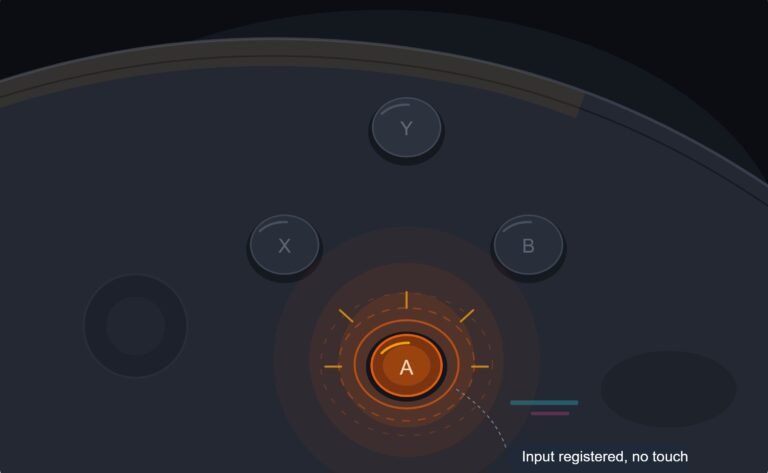
The face button registered a press I never made, a phantom input firing on its own during a menu screen while my thumb…

In Tetris and fighting games my D-pad keeps doing diagonals. I press up and it also counts left or right. On your button test I can see two directions light up when I only meant one. It's an Xbox One controller. Is my D-pad broken or is it just how they are?
Some diagonal bleed is part of how many D-pads are built, because one rocking piece sits over four contacts. If it happens with light, centred presses, the pivot or contacts are worn. Cleaning, a different D-pad or a controller with separated directions helps.

A D-pad is usually a single plastic cross that rocks over four contacts, one per direction. Press up slightly off-centre and the cross tilts enough to close the left or right contact too. So a little diagonal bleed is normal on many designs, especially when you press near the edge of the arm.
What is not normal is bleed on light, centred presses. That means the pivot under the cross has worn, or the contacts have dirt that makes them close too easily. On older Xbox One controllers the D-pad feel also changed between revisions, and some are known for being mushy.
The button test is exactly the right tool. Press each direction gently in the centre of its arm ten times and watch whether a second direction lights. Then press firmly. If only firm or off-centre presses bleed, it is technique and design. If gentle centred presses bleed, the D-pad is worn.
For Tetris and fighting games, where clean cardinals matter, many players move to a controller with a separated or segmented D-pad, or a leverless controller. A clean of the D-pad contacts can also help if dirt is involved.
Tested on: Applies to Xbox One Wireless Controller Model 1708 and other cross-style D-pads on Windows 11 with Chrome or Edge. D-pad buttons per the standard mapping in the W3C Gamepad specification.
Checked by Matheus Lima on . How we verify answers
Retro And Adapter Hardware Specialist at Gamepad Tester
Graham works on legacy input hardware. Older controllers reach a browser through a USB adapter, and the adapter decides what the browser sees: button order changes, axes arrive as buttons, D-pads report as hats, and two adapters for the same console can behave nothing alike. He maps how the common adapters present themselves so that a player with a SNES or Sega pad can read a test result correctly instead of concluding their controller is broken. On Gamepad Tester he answers the adapter and legacy hardware questions.
 Calder WrightFront-End Web Architect And Gamepad API Lead
 Elena RostovaHardware Diagnostics Engineer
 Garrett LindsayHardware Reviewer And Input Performance Specialist
 Venom’s Tech (Abhishek)Peripheral Reviewer And Tech Journalist
 Chloe HendersonHall Effect And Thumbstick Analyst
 Thiago AlvesHardware Repair Educator
 Devon MillerLow Latency And Input Timing Engineer
 Liam DaviesBluetooth And Wireless Test Engineer
Each answer is written by the specialist who owns that part of the hardware, tested on a real controller, and checked by a second team member. How we verify answers
Answers are free general guidance from the Gamepad Tester Team and the community. Opening a controller or replacing a thumbstick module can void your warranty, so check the maker's support or warranty first. Battery and soldering work carries a real risk of damage or injury.
Every test runs in your own browser with the Gamepad API. No sign up, no download, and your controller data never leaves your device.
The face button registered a press I never made, a phantom input firing on its own during a menu screen while my thumb…
Android RPGs no longer feel like small games made to fill a few spare minutes. Some now offer large open worlds…
Esports viewing has changed a lot. Fans no longer watch only for big kills, clutch rounds, final scores, or highlight…
The newest replies from players and the Gamepad Tester Team.