Small Input Problems That Quietly Ruin Your Game Sessions
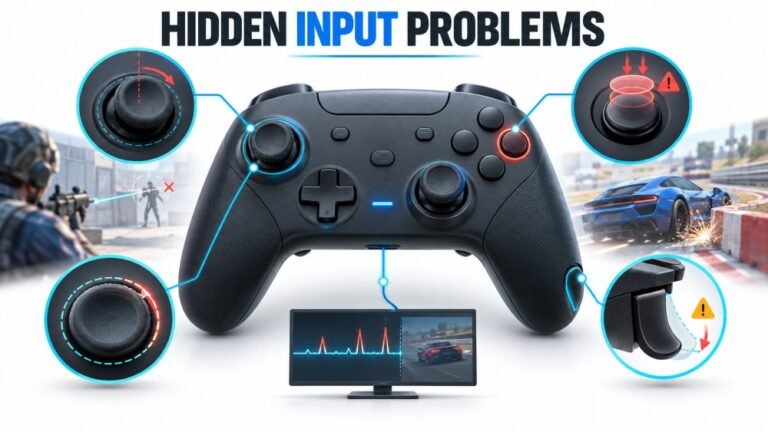
There is a particular kind of bad session that never gets diagnosed. You lose a duel you should have won. Your car…

Knocked a fizzy drink onto my arcade stick last week. Dried it off, it still works, but two buttons feel sticky and slow to come back up, and on your button test one stays lit a moment after I let go. How do I clean it properly without breaking it?
Sugary drink residue makes buttons stick and release late. Unplug the stick, remove the affected buttons, clean them and the area with isopropyl alcohol, let everything dry fully, then retest. Arcade buttons are designed to be removed, which makes this easier than on a gamepad.

Good news first: arcade sticks are among the easiest controllers to clean, because the buttons are designed to be removed and replaced.
What you are seeing is sugar residue. When the drink dries, it leaves a sticky film on the button plunger and inside the housing, so the button returns slowly. A button that stays lit after release in the test is releasing late, which in fighting games can mean a dropped or mistimed input.
Unplug the stick before anything else. Open the panel, unclip the wires from the affected buttons, noting which wire goes where with a photo, and push the buttons out of the panel. Clean them with isopropyl alcohol, the higher the percentage the better, using a cotton bud on the plunger and housing. Work the plunger many times while it is wet so the alcohol reaches inside. Clean the panel area too.
Let everything dry completely; alcohol evaporates quickly, but give it at least an hour. Reconnect the wires exactly as before.
If a button still sticks, replace it. Standard arcade buttons are cheap and swap in minutes, and this is a good moment to upgrade if you have been curious about different switches.
Tested on: Applies to arcade sticks and leverless controllers on Windows 11 with Chrome or Edge. Button release timing per the button states reported through the Gamepad API.
Checked by Thiago Alves on . How we verify answers
Fighting Game Hardware Analyst at Gamepad Tester
Matheus analyses hardware for the fighting game community, where a few milliseconds and a single simultaneous-input conflict decide whether a combo comes out. He tests arcade fightsticks, leverless hitbox-style controllers and custom builds for execution window errors, SOCD conflicts, missed simultaneous presses and the button-rollover limits that only appear under fast input. On Gamepad Tester he answers the questions about fightsticks and leverless pads, and the ones where a controller tests perfectly but still drops inputs in a game.
 Calder WrightFront-End Web Architect And Gamepad API Lead
 Elena RostovaHardware Diagnostics Engineer
 Garrett LindsayHardware Reviewer And Input Performance Specialist
 Venom’s Tech (Abhishek)Peripheral Reviewer And Tech Journalist
 Chloe HendersonHall Effect And Thumbstick Analyst
 Thiago AlvesHardware Repair Educator
 Devon MillerLow Latency And Input Timing Engineer
 Liam DaviesBluetooth And Wireless Test Engineer
Each answer is written by the specialist who owns that part of the hardware, tested on a real controller, and checked by a second team member. How we verify answers
Answers are free general guidance from the Gamepad Tester Team and the community. Opening a controller or replacing a thumbstick module can void your warranty, so check the maker's support or warranty first. Battery and soldering work carries a real risk of damage or injury.
Every test runs in your own browser with the Gamepad API. No sign up, no download, and your controller data never leaves your device.
There is a particular kind of bad session that never gets diagnosed. You lose a duel you should have won. Your car…
Someone asked me whether they should repair a two-year-old controller with drifting sticks or just buy a new one, and…
Whether you're a casual gamer or a competitive player, a malfunctioning controller can ruin your gaming experience…
The newest replies from players and the Gamepad Tester Team.