
Playing Mobile Games With A Controller: What Works, What Doesn’t, And What To Test Before You Spend
You paired the controller, the light went solid, your phone said "Connected," and then the game did absolutely…

Geht alles nicht. I tried really everything: other cable, reinstall drivers, update Windows, restart many times, other games. Device Manager says Unknown USB Device (Device Descriptor Request Failed). Your tester shows nothing, joy.cpl shows nothing. The controller is a cheap USB gamepad, maybe 1 year old. Before it worked perfect. Where do I even start? I am out of ideas.
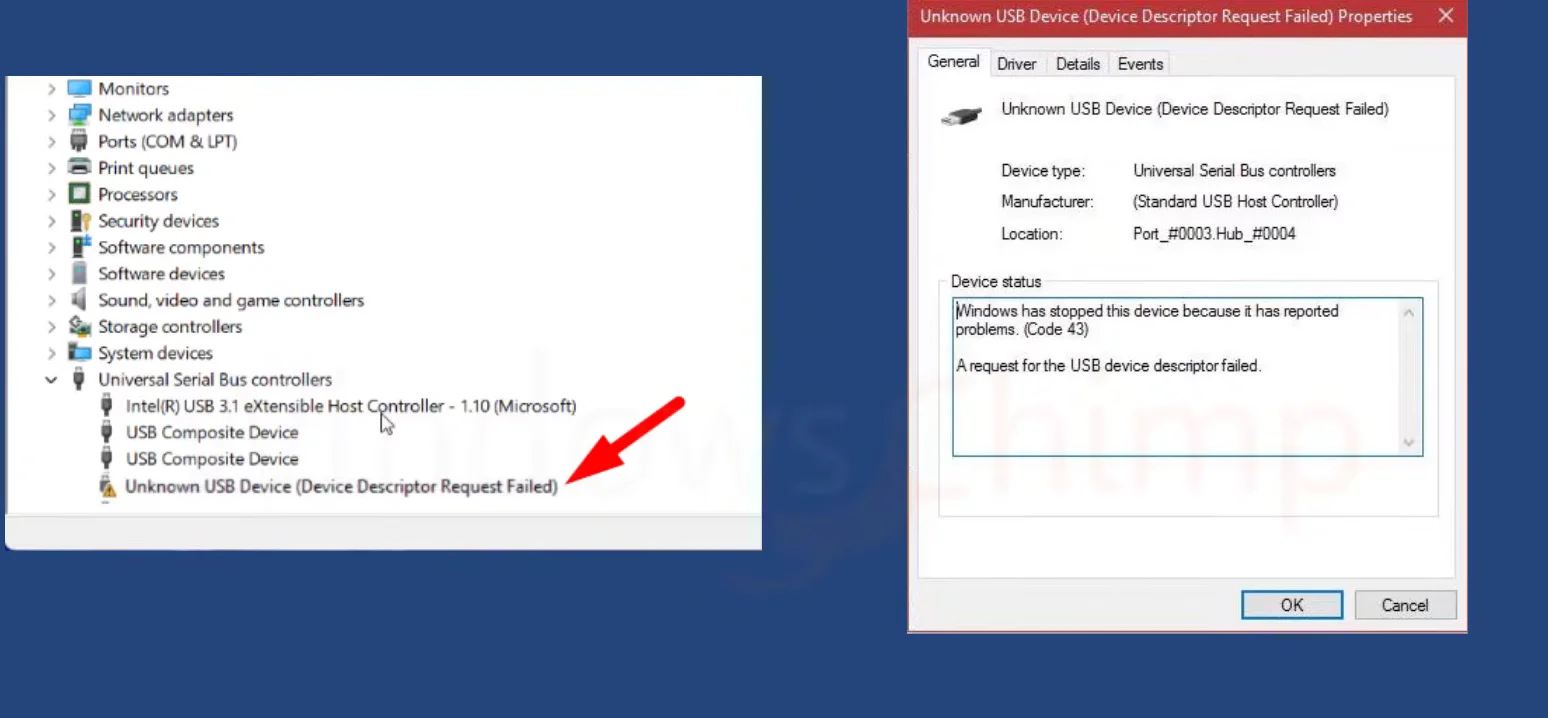
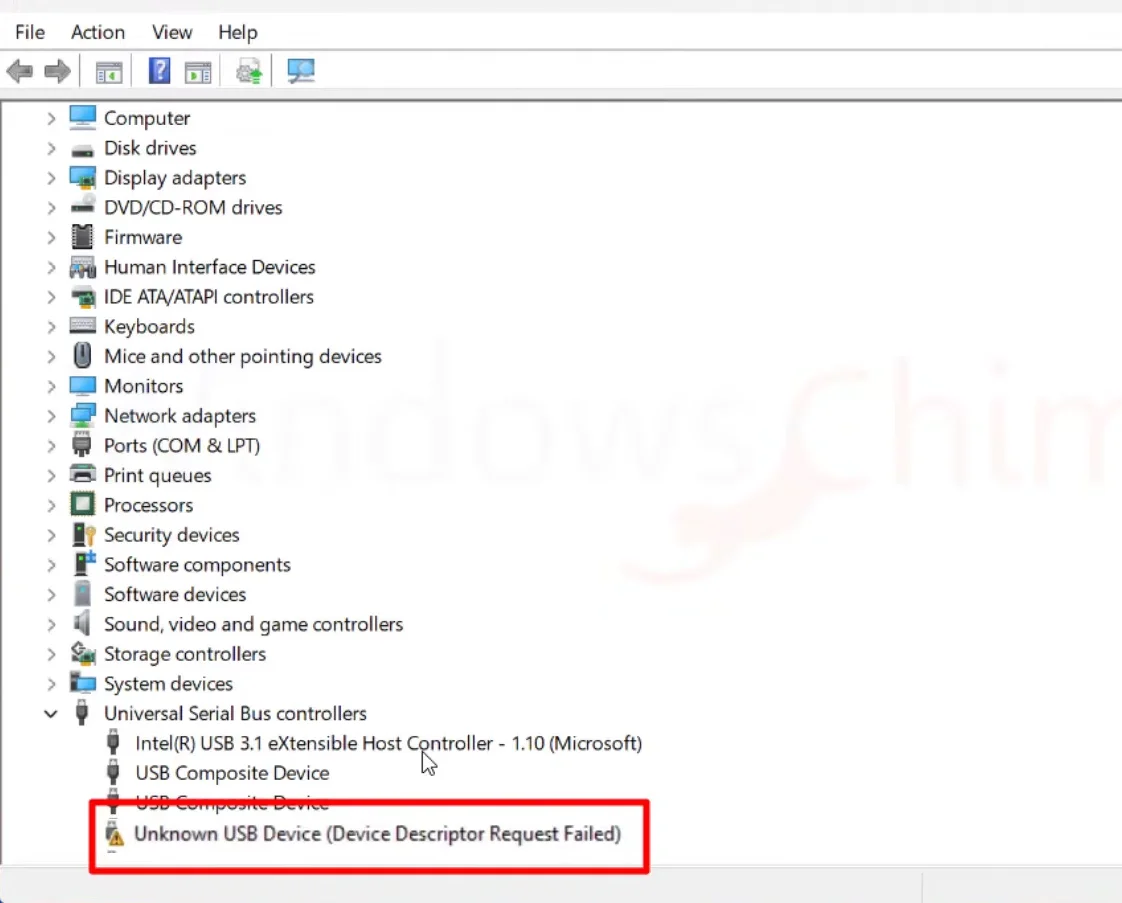
That message means Windows could not even read the controller's identity, so drivers are not the problem yet. It is almost always the cable, the port or the controller's own USB connection. A full power off and a test on a second PC tell you which in about ten minutes.

When you have tried everything, the best move is to narrow down rather than try more things, and your error message does a lot of that for us.
Device Descriptor Request Failed happens before any driver is involved. When you plug in a USB device, Windows first asks it to describe itself. Your controller is either not answering or answering with garbage. That is why reinstalling drivers, updating Windows and trying games could not help: none of them run until that first step works.
So the problem sits in one of three places: the cable, the PC's USB port or hub, or the controller's USB circuitry. A cheap gamepad with a fixed cable often fails right where the cable enters the controller, from repeated bending.
Work through this in order and stop when it starts working. First, a full power reset of the USB ports: shut the PC down completely, cut the power for a minute, then start it again. This clears a USB controller that has got itself into a bad state, and it fixes a surprising number of these. Second, use a rear port directly on the motherboard, with no hub or extension. Third, try the controller on a different computer.
If it fails on the second computer too, the controller or its cable is faulty, and on a cheap pad replacement is the realistic fix. If it works there, the problem is your PC's USB, and the chipset driver is the next thing to update.
Tested on: Applies to USB gamepads on Windows 11 with Firefox, Chrome or Edge. Diagnosis based on where USB enumeration fails, as reported by Device Manager.
Checked by Alistair Thorne on . How we verify answers
QA And Test Automation Lead at Gamepad Tester
Tyler leads test automation. Before each change to the tools here goes live, his pipelines drive simulated inputs through the pages across multiple browsers and desktop environments and compare the readings against known-good baselines. It catches the regressions manual testing misses: a button index that shifts, an axis that stops updating, a layout that breaks at one viewport. On Gamepad Tester he signs off releases of the test tools and handles the answers where the tool itself, rather than the controller, is behaving oddly.
 Calder WrightFront-End Web Architect And Gamepad API Lead
 Elena RostovaHardware Diagnostics Engineer
 Garrett LindsayHardware Reviewer And Input Performance Specialist
 Venom’s Tech (Abhishek)Peripheral Reviewer And Tech Journalist
 Chloe HendersonHall Effect And Thumbstick Analyst
 Thiago AlvesHardware Repair Educator
 Devon MillerLow Latency And Input Timing Engineer
 Liam DaviesBluetooth And Wireless Test Engineer
Each answer is written by the specialist who owns that part of the hardware, tested on a real controller, and checked by a second team member. How we verify answers
Answers are free general guidance from the Gamepad Tester Team and the community. Opening a controller or replacing a thumbstick module can void your warranty, so check the maker's support or warranty first. Battery and soldering work carries a real risk of damage or injury.
Every test runs in your own browser with the Gamepad API. No sign up, no download, and your controller data never leaves your device.
You paired the controller, the light went solid, your phone said "Connected," and then the game did absolutely…
There is a particular kind of bad session that never gets diagnosed. You lose a duel you should have won. Your car…
A shot fired half a second after I pulled the trigger, the same delay I had been chasing for two weeks, faulting…
The newest replies from players and the Gamepad Tester Team.

