

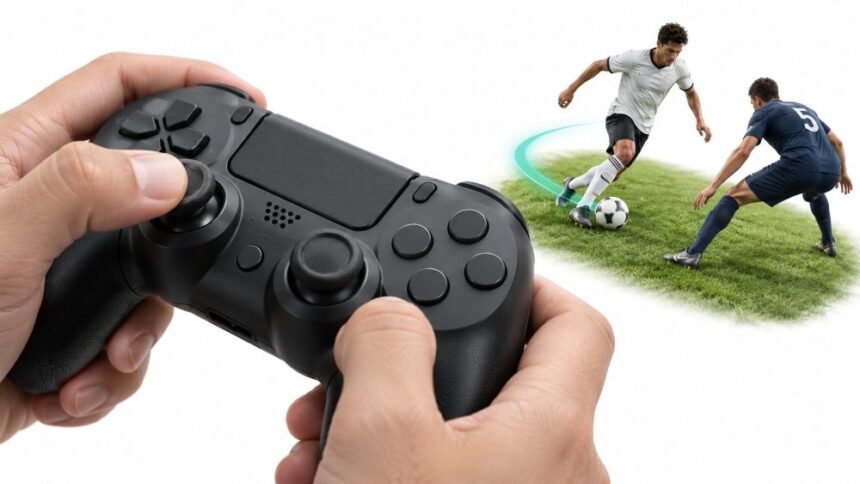
Ask a room full of sports gamers what they play with, and most will hold up an imaginary controller. Ask them why, and you will mostly get a shrug and “it just feels right.”
That feeling has real causes. Try steering a winger past a full-back with four keys on a keyboard. It works, the same way eating soup with a fork works. You get there in the end, but you spill a lot on the way.
This is not an attack on the keyboard and mouse. For shooters, strategy games and anything that needs sharp aim, a mouse is hard to beat, and a keyboard puts dozens of buttons under your fingers. Sports games ask for something different. They care about how much, not only whether: a bit more pace, a slightly wider angle, a softer touch on the brake before a hairpin.
Even publishers know where PC players’ hands are. EA’s PC notes for EA Sports FC 26 open with controller support, before graphics or display settings. The update added DualSense haptics and adaptive triggers when the controller is connected by USB, with only basic vibration over Bluetooth, and full vibration for the older DualShock 4 over USB. When a PC update leads with gamepad features, that tells you how people actually play.
So let’s take the controller apart, one piece at a time.
Analog Stick Is The Real Reason
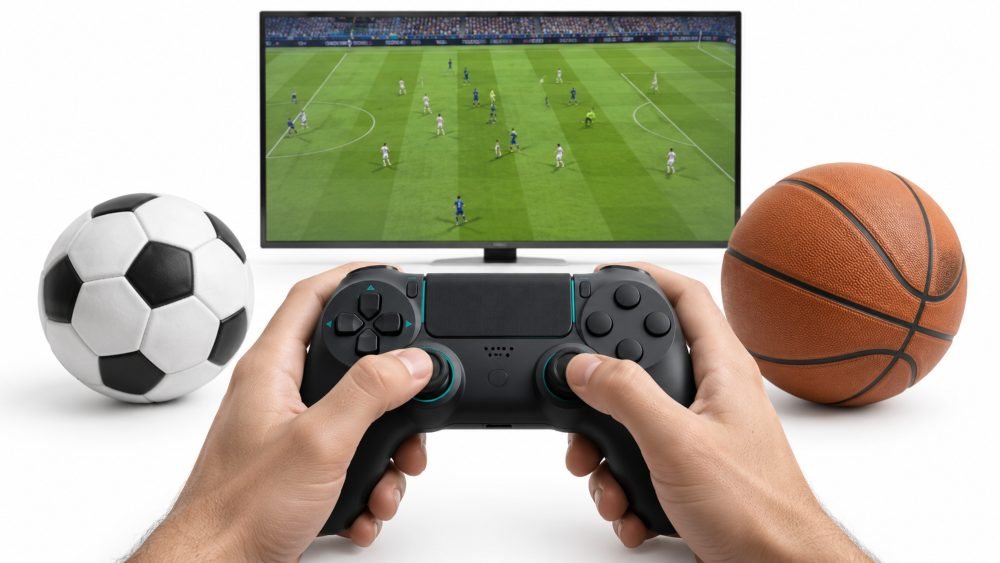
A keyboard key has two states: down or up. The game receives a yes or a no, and that is the whole message.
An analog stick says much more. It reports two axes at once, left to right and up to down, and each one is a range rather than a switch. Microsoft spells this out in its developer notes on how Windows reads a gamepad. Each thumbstick axis comes through as a number between -1.0 and 1.0, and each trigger as a number between 0.0 when untouched and 1.0 when fully pressed. Web browsers work the same way, as the MDN reference for the Gamepad API shows. Stick positions are passed to the page as decimal values across that same -1.0 to 1.0 range.
In plain words, the stick tells the game which way you want to go and how strongly you mean it.
| Input | What The Game Reads | What It Means In A Sports Game |
| One key (W) | On or off | Move or stand still |
| Two keys together (W + D) | One of eight fixed directions | Straight lines and 45 degree diagonals only |
| Analog stick | Two axes, each from -1.0 to 1.0 | Any angle, at any strength |
| Analog trigger | A value from 0.0 to 1.0 | A light jog, a steady run or a full sprint |
WASD gives you four straight lines and four diagonals. For casual play, that is enough. Some games soften key presses by ramping movement up over a split second, which helps, but it is still the game guessing what you meant rather than reading what your hand did.
Now think about a ball handler in NBA 2K27. The game arrived on September 4 for PlayStation 5, Xbox Series X|S, Nintendo Switch 2 and PC. Getting past a defender often means drifting a few degrees off a straight line, not snapping to the nearest diagonal. Those tiny angle changes are the skill, and a stick lets you make them.
Research supports this for smooth, continuous control. In a study presented at the Human Factors and Ergonomics Society annual meeting, Rupp, Oppold and McConnell found an Xbox controller produced fewer tracking errors than a joystick and keyboard setup, with a trend towards lower workload. Tracking, which means keeping something moving cleanly along a path, is close to what you do when you steer a player or a car.
The same research field also keeps controllers honest. In a 2022 study from Yonsei University, Hong, Peck and Lee compared gamepads with keyboard and mouse on PC. They found the keyboard and mouse gave better reaction-time performance overall, felt less mentally and physically demanding, and they advised designers not to ask gamepad players for too many inputs at the same moment. So a controller is not magic. It is built for graded movement, which is what most sports games are made of.
When A Keyboard Is Perfectly Fine
Not every sports game needs a stick. It comes down to what the game asks your hands to do.
Horse racing is the clearest case. If following the Breeders’ Cup Challenge Series has you in the mood for a racing game, you may not need new hardware at all. The series, now in its 20th year, hands its winners automatic spots at the 43rd Breeders’ Cup World Championships at Keeneland on October 30 and 31.
The best-known horse racing game, Koei Tecmo’s Winning Post series, is not about riding. The latest entry, Winning Post 10 2026, puts you in the role of an owner-breeder, and it launched in Japan on March 26, 2026, for PlayStation 5, Switch 2, PlayStation 4, Switch and PC. You can read the announcement of Winning Post 10 2026 and its platforms for the full feature list. The game plainly exists on consoles, but most of your time goes into breeding plans, race entries and menus, and a mouse handles that very comfortably.
A rough guide to how much a controller matters:
- Football, basketball and hockey games: a big difference, because dribbling, shielding and passing lanes depend on small angles.
- Racing games: a big difference, and a wheel adds even more if you get serious.
- Golf, tennis and baseball games: often helpful, since swing strength and aim tend to sit on a stick or trigger.
- Management and breeding sims: little or no difference, and a mouse is often faster for menus.
Sports Games Are Built On Angles And Half Movements
Real sport lives in the in-between.
A sprinter does not reach top speed in a single frame. A driver does not hold the wheel either dead straight or at full lock. A point guard does not dribble “northwest.” Athletes spend most of their time using part of their range: part of their pace, part of a turn, part of a push.
Controllers are good at those shades, and triggers show it best. Because a trigger reads anywhere from 0.0 to 1.0, a game can treat it like a pedal instead of a light switch.
EA’s football series uses exactly that. FC 26 has an optional Analog Sprint setting that turns the sprint trigger pressure-sensitive, so a light press gives a quick jog, a half press a controlled run and a full press a flat-out sprint. With the setting off, pressing sprint sends your player straight to top speed.
Why would anyone choose to run slower? Because a full sprint pushes the ball further from your player’s feet. Players who use the setting say the controlled run keeps the ball closer while dribbling and stops heavy touches at top speed, and it also saves stamina, since you are not running every player at 100 percent each time you touch the trigger.
Here are a few everyday moments where partial input does real work:
- Easing off the sprint trigger so a winger keeps the ball close while cutting inside.
- Pushing the stick only partway to jockey a striker instead of lunging in.
- Feathering the throttle out of a slow corner so the rear tyres do not spin.
- Rolling onto the brake before a turn rather than stamping on it.
None of those can be done cleanly with a key that only knows up and down.
There is an emotional side too. In a study published in Cyberpsychology, Behavior, and Social Networking, Limperos and colleagues compared a traditional controller with motion controls. Players using a PlayStation 2 pad reported a stronger sense of control and more enjoyment than those using a Nintendo Wii, and the enjoyment came from that sense of control rather than from winning. Feeling in charge of the movement is a large part of why a game is fun at all.
Racing Games Make The Difference Impossible To Ignore
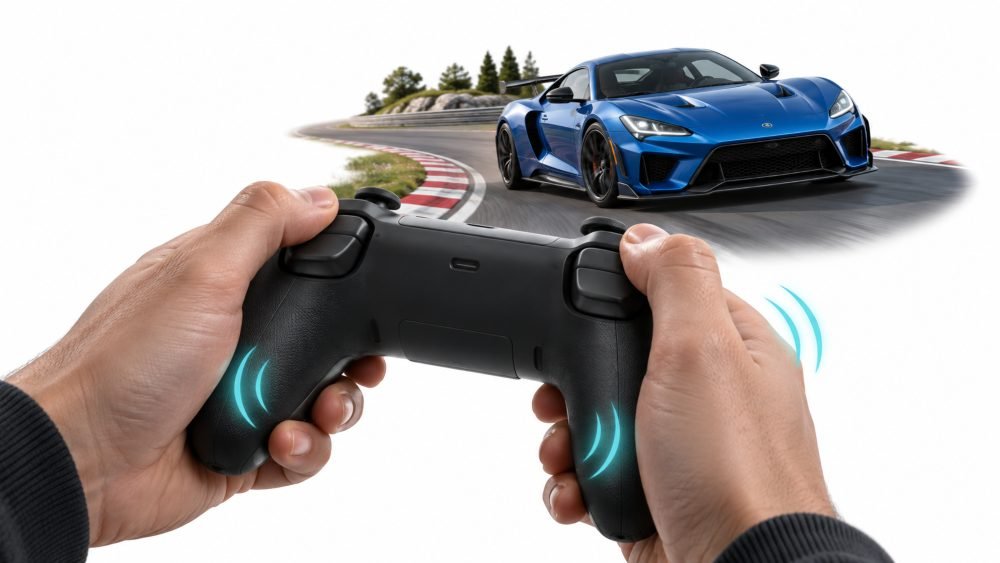
If you want to feel the gap between digital and analog input in about thirty seconds, drive a racing game with a keyboard.
Steering with keys is basically “none” or “a lot.” The throttle and brake share the same problem. You end up tapping in a fast rhythm to fake a gentle input, and the car weaves through corners like it has had a long night.
A controller gives you gradual steering on the stick and gradual pedals on the triggers. It will never match a good wheel and pedal set for serious sim racing, but it sits comfortably between a full rig and trying to get round Suzuka with the letter A.
Modern controllers also talk back.
Microsoft pushed this idea early with the Xbox One pad, as described in Xbox Wire’s 2013 look at the new controller. It had four vibration motors, including a small one behind each trigger for fingertip feedback, and in Forza Motorsport 5 those triggers buzzed distinctly when the tyres lost traction under too much throttle. Turn 10 creative director Dan Greenawalt presented the feature as a way to train players out of jerky, digital habits and into smoother, analog ones.
Sony’s DualSense goes further with adaptive triggers that can push back against your finger. In FIFA 21 on PS5, EA raised the trigger resistance as stamina drained, so players could feel their team tiring as the match went on. EA community lead Gabe Zaro framed it as feeling fatigue through your hands rather than only seeing it in a stamina bar.
Racing games made the idea even more useful. Codemasters senior game designer Steven Embling explained the setup in a PlayStation Blog post on F1 22 and the DualSense. Trigger resistance was tied to the tyres’ slip, so the brake trigger stiffened when the wheels locked and the accelerator stiffened during wheelspin. The two triggers were given slightly different resting resistance to copy the extra force a real F1 brake pedal needs.
| Game | Controller | What The Trigger Tells You |
| Forza Motorsport 5 | Xbox One controller | Vibration when the tyres break traction |
| F1 22 | DualSense | Stiffer brake on lock-up, stiffer throttle on wheelspin |
| Gran Turismo 7 | DualSense | A pulsing, ABS-style feel under braking |
For Gran Turismo 7, Polyphony Digital president Kazunori Yamauchi described using the triggers to copy the way anti-lock brakes release pressure in bursts as you press the pedal.
The key point is that the trigger does two jobs at once. It is your input and your warning light. You feel the slide starting before you see it on screen.
Haptics Make Sport Feel Less Abstract
Old controllers had one trick: they shook. A big rumble for a crash, a smaller one for a tackle, and that was it.
Modern haptics are far more detailed. Instead of one heavy motor doing all the work, a controller like the DualSense can change where the vibration sits and how strong it feels. In FIFA 21 on PS5, a strong left-footed shot vibrated on the left side of the pad, and a head-on tackle hit harder than players leaning on each other at a corner. In F1 22, driving just the left wheels hard over a kerb sends the feedback only to the left side of the controller.
Basketball picked it up too. The NBA 2K21 team on PS5 added more resistance to the sprint trigger as a player’s energy drained, and in the post, a strong player backing down a weaker one felt little resistance on L2 while the reverse took more force.
This matters because so much of sport is contact and surface: a tackle, a shot off the laces, a car skipping over a rumble strip. Visuals and sound inform your eyes and ears. Haptics inform your hands, and your hands are the part of you doing the playing.
If you play on PC, a few practical points help:
- Use the cable. FC 26 on PC only gives full DualSense haptics and adaptive triggers over USB, with basic vibration over Bluetooth.
- Check the settings menu. FC 26 lists separate options for the trigger effect and for vibration strength, so you can keep the feedback you like and drop the rest.
- Give stiff triggers a few matches. Some players found FIFA 21’s tight sprint trigger distracting late in each half, to the point that it felt like a finger workout.
- Turning it off is fine. Some competitive settings guides suggest switching vibration off because it can pull focus.
Your Fingers Learn The Game
Then there is muscle memory.
Put enough hours into a sports game, and you stop thinking, “Right stick diagonally down-left, then hold the right bumper.” You do it. The move comes out of your hands before you have put it into words.
Scientists call this automaticity, and the learning happens in the brain rather than the muscles. In a widely cited 2005 paper in The Journal of Neuroscience, Poldrack and colleagues studied the brain changes behind skill automaticity. They treated a skill as automatic once a demanding second task barely got in its way, and they trained people heavily on a sequence task to watch that shift happen. That is exactly what a good sports gamer does: the skill move runs on autopilot while their attention is on the pass they want to play next.
Controllers make that kind of learning easier for simple reasons. There are only a handful of controls, and each one sits in the same spot under the same finger every session. Sticks handle movement, face buttons handle common actions, and triggers and bumpers rest under the index fingers. Most sports games also share a broadly similar layout, so sprint on a trigger and pass on a face button carries over from one game to the next.
That shared layout is underrated. Once your hands know the pattern, a new football or basketball game feels familiar within minutes. A keyboard can be remapped to almost anything, which is great for flexibility, but it also means there is no common layout for your fingers to learn once and keep. And given what Hong, Peck and Lee found about gamepads struggling with lots of inputs at the same moment, good sports game controls lean on a small set of well-placed buttons rather than dozens of separate ones.
Final Thoughts
Sports games feel better with a controller because the controller speaks the same language as sport. Sport is about degree: how hard, how far, how fast, how sharp. A key can only say yes or no. A stick and a trigger can say “a little” or “almost all the way,” and modern haptics can answer back through your fingertips.
That does not make the keyboard wrong. For a breeding sim like Winning Post, or for tactics screens and management modes, a keyboard and mouse are more than enough, and the research shows it can be quicker for reaction-based tasks. But when a game depends on small angles and partial pressure, whether that is a winger easing past a full-back, a point guard shaking a defender or a car balanced on the edge of grip, the controller is the better tool.
With EA Sports FC 27 launching on September 25, 2026, a new season is a natural moment to change old habits. If you have been playing sports games on a keyboard out of routine, borrow a controller for a weekend, plug in the cable, switch on any analog sprint option your game offers, and give your hands a few matches to catch up.
Disclaimer
This article is for general information only. Game features, settings and controller support can change with updates and can differ between platforms, editions and regions, so check the current options in your own game. The author and publisher are not affiliated with Electronic Arts, Sony Interactive Entertainment, Microsoft, Koei Tecmo, 2K or Breeders’ Cup Limited, and product names belong to their owners. Some links lead to third-party sites, including a site that offers horse race wagering. Betting should only be done by adults, only where it is legal, and never with money you cannot afford to lose.
References
- Embling, S. (2022, June). How PS5’s DualSense controller is making EA Sports F1 22 an incredibly authentic racing experience. PlayStation Blog. Sony Interactive Entertainment. https://blog.playstation.com/?p=366243
- Gematsu. (2025, November). Winning Post 10 2026 announced for PS5, Switch 2, PS4, Switch, and PC. https://www.gematsu.com/2025/11/winning-post-10-2026-announced-for-ps5-switch-2-ps4-switch-and-pc
- Hong, Y. A., Peck, S. O., & Lee, I. M. (2022). A comparison of input devices for gaming: Are gamepads still useful in PC environment? In J.-H. Kim, M. Singh, J. Khan, U. S. Tiwary, M. Sur, & D. Singh (Eds.), Intelligent Human Computer Interaction. IHCI 2021. Lecture Notes in Computer Science (Vol. 13184, pp. 403-416). Springer, Cham. https://doi.org/10.1007/978-3-030-98404-5_38
- Limperos, A. M., Schmierbach, M. G., Kegerise, A. D., & Dardis, F. E. (2011). Gaming across different consoles: Exploring the influence of control scheme on game-player enjoyment. Cyberpsychology, Behavior, and Social Networking, 14(6), 345-350. https://doi.org/10.1089/cyber.2010.0146
- Microsoft. (n.d.). GamepadReading struct (Windows.Gaming.Input). Microsoft Learn. https://learn.microsoft.com/en-us/uwp/api/Windows.Gaming.Input.GamepadReading
- Mozilla. (n.d.). Gamepad: axes property. MDN Web Docs. https://developer.mozilla.org/en-US/docs/Web/API/Gamepad/axes
- Poldrack, R. A., Sabb, F. W., Foerde, K., Tom, S. M., Asarnow, R. F., Bookheimer, S. Y., & Knowlton, B. J. (2005). The neural correlates of motor skill automaticity. The Journal of Neuroscience, 25(22), 5356-5364. https://doi.org/10.1523/JNEUROSCI.3880-04.2005
- Rupp, M. A., Oppold, P., & McConnell, D. S. (2013). Comparing the performance, workload, and usability of a gamepad and joystick in a complex task. Proceedings of the Human Factors and Ergonomics Society Annual Meeting, 57(1), 1775-1779. https://doi.org/10.1177/1541931213571398
- Xbox Wire. (2013, June 6). The new generation Xbox controller. Microsoft. https://news.xbox.com/en-us/2013/06/06/xbox-one-controller-feature/