Small Input Problems That Quietly Ruin Your Game Sessions
There is a particular kind of bad session that never gets diagnosed. You lose a duel you should have won. Your car…

Ok so I keep seeing people say stick drift has stages and that early drift can be fixed but late drift can't. Is that actually a thing or just something people say online? My PS4 controller is about 3 years old. In game my guy only creeps sometimes, mostly it's in menus where the cursor slides down a little after I let go. On your drift test the left stick resting value jumps around between 0.02 and 0.07 on the Y axis, and sometimes it snaps back to 0.00 by itself. Right stick sits at 0.01. What stage would that be and what do I do? Also what do you even call it when the stick moves by itself, I honestly didn't know the word until a friend told me.
It is called stick drift, and yes, it tends to move through recognisable stages. A reading that wanders between 0.02 and 0.07 and sometimes returns to zero is early, intermittent drift, which is the stage where cleaning genuinely helps.

The word you were looking for is stick drift: the stick reports movement when nobody is touching it. The stages are real too, though they describe how wear usually progresses rather than an official scale. This is how I sort the readings we see.
Stage one is an intermittent wobble. The resting value hops between roughly 0.02 and 0.08 and often snaps back to zero by itself. It shows up in menus before games, because menus usually have smaller deadzones. This is almost always dust, skin oil or a dried drink film on the carbon track inside the potentiometer. Your numbers sit exactly here.
Stage two is a steady offset. The value stops snapping back and sits at, say, 0.08 to 0.15 in one direction. Characters creep in game, not just in menus. Cleaning can still help, but the improvement often fades within weeks because the track itself has started to wear.
Stage three is constant drift. The resting value sits beyond about 0.15, sometimes much further, and the controller is hard to use without a big deadzone. The track is worn through in the spot your thumb rests most, and only a new stick module fixes it.
Some people add a fourth stage where the axis jumps wildly or pins to one edge. That is usually a broken track or a cracked solder joint rather than gradual wear.
Catching it at stage one gives you options. A careful clean now has a fair chance of buying you months, and a written log of your readings tells you whether it is progressing.
Tested on: Applies to DualShock 4 CUH-ZCT1 and CUH-ZCT2 and other potentiometer-stick pads on Windows 11 with Chrome or Edge. Thresholds match the bands used across our stick drift guides; cleaning steps checked against Sony's DualShock 4 troubleshooting page.
Checked by Thiago Alves on . How we verify answers
Data Analyst, Stick Drift And Wear Patterns at Gamepad Tester
Sarah is a data scientist working on stick drift diagnostics. Working from the anonymised test exports players attach to their questions, she looks for the patterns that distinguish a stick that needs recalibrating from one whose potentiometer is physically worn out, and at what point in a module's life the reading usually starts to move. The aim is a practical answer to the question players actually ask: clean it, calibrate it, or replace it. On Gamepad Tester she reviews the drift answers and the thresholds quoted in them.
 Calder WrightFront-End Web Architect And Gamepad API Lead
 Elena RostovaHardware Diagnostics Engineer
 Garrett LindsayHardware Reviewer And Input Performance Specialist
 Venom’s Tech (Abhishek)Peripheral Reviewer And Tech Journalist
 Chloe HendersonHall Effect And Thumbstick Analyst
 Thiago AlvesHardware Repair Educator
 Devon MillerLow Latency And Input Timing Engineer
 Liam DaviesBluetooth And Wireless Test Engineer
Each answer is written by the specialist who owns that part of the hardware, tested on a real controller, and checked by a second team member. How we verify answers
Answers are free general guidance from the Gamepad Tester Team and the community. Opening a controller or replacing a thumbstick module can void your warranty, so check the maker's support or warranty first. Battery and soldering work carries a real risk of damage or injury.
Every test runs in your own browser with the Gamepad API. No sign up, no download, and your controller data never leaves your device.
There is a particular kind of bad session that never gets diagnosed. You lose a duel you should have won. Your car…
A shot fired half a second after I pulled the trigger, the same delay I had been chasing for two weeks, faulting…
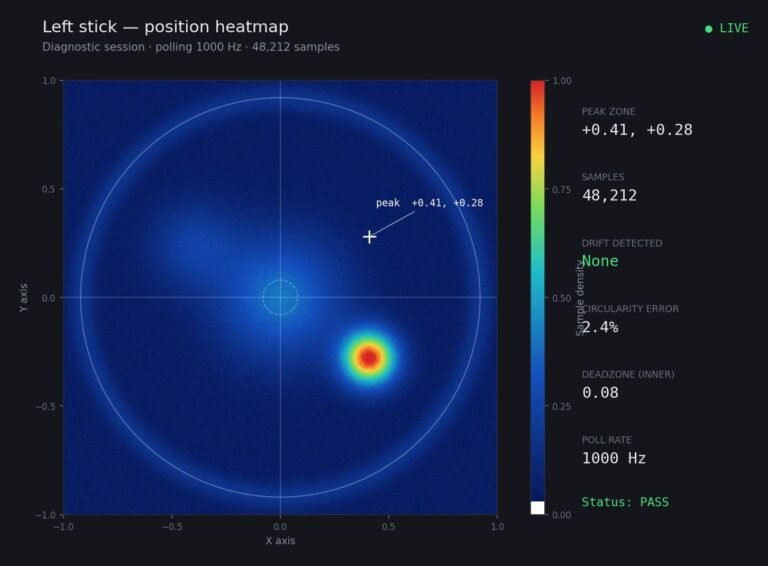
Someone posted a stick drift heatmap in a forum thread asking if their controller was dying: a red and orange blob…
The newest replies from players and the Gamepad Tester Team.