Small Input Problems That Quietly Ruin Your Game Sessions
There is a particular kind of bad session that never gets diagnosed. You lose a duel you should have won. Your car…

Fitted a new stick module and now up is down. The Y axis is inverted on that stick only, the other one is normal. Your drift test confirms it, push the stick forward and the Y value goes positive instead of negative. Everything else about the repair is fine, no drift, full range, clean centre. I assume I have bought a module for a different controller or fitted it rotated somehow. Is there a way to tell, and is it fixable or do I need another part?
You have almost certainly fitted a module intended for the opposite side, or one rotated 180 degrees in its footprint. Both are physically possible and both invert one axis.

One axis inverted, with everything else perfect, is a mechanical orientation problem rather than an electrical one, and it is a common outcome when buying modules without checking the side.
A stick module has two potentiometers at right angles. Which direction counts as positive depends on which way round the module sits in its footprint. Left and right stick modules on many controllers are physically similar but mirrored, and some listings sell them as a generic pair without distinguishing. Fit the wrong one, or fit the right one rotated 180 degrees, and the module works perfectly while reporting one axis backwards. That is why your centre, range and drift are all clean: the potentiometers are healthy and correctly wired, they are just facing the wrong way.
Only one axis inverting rather than both is the signature. A 180 degree rotation inverts both axes, so if only Y is reversed you are more likely to have a mirrored module, meaning a part for the other side.
How to confirm. Open it and compare the new module against the one on the other stick, looking at where the mounting tabs and the connector sit relative to the stick shaft. A mirrored part is obvious once you hold the two side by side. Also check the part's listing for a left or right designation; if it did not state one, that is your answer.
The fix is the correct part. Do not try to compensate in software: inverting the axis in a game setting fixes that one game and leaves every other game, and the console interface, wrong. Some remapping tools can invert per-controller, which is a workable stopgap, but it is a workaround layered over a wrong part and it will confuse you again in six months.
When you order, specify the side, and this time note the part designation so you can repeat the order correctly if you ever need to.
Tested on: DualSense CFI-ZCT1W with correct-side, opposite-side and 180-degree-rotated modules fitted in turn, with reported axis polarity logged in Chrome 141 on Windows 11 24H2. Opposite-side fitment inverted one axis, rotation inverted both, matching the reported pattern.
Checked by Chloe Henderson on . How we verify answers
Open Source Contributor And Device ID Specialist at Gamepad Tester
Vikram contributes to open source Gamepad API tooling, with a focus on device identification. A browser reports a controller as a vendor and product ID plus whatever name the pad chooses to give, and clone hardware routinely copies the ID of the controller it imitates. He maintains the mappings that let developers, and this site, tell a genuine controller from a copy that will not behave like one. On Gamepad Tester he answers the questions where a controller is detected under the wrong name or maps its buttons unexpectedly.
 Calder WrightFront-End Web Architect And Gamepad API Lead
 Elena RostovaHardware Diagnostics Engineer
 Garrett LindsayHardware Reviewer And Input Performance Specialist
 Venom’s Tech (Abhishek)Peripheral Reviewer And Tech Journalist
 Chloe HendersonHall Effect And Thumbstick Analyst
 Thiago AlvesHardware Repair Educator
 Devon MillerLow Latency And Input Timing Engineer
 Liam DaviesBluetooth And Wireless Test Engineer
Each answer is written by the specialist who owns that part of the hardware, tested on a real controller, and checked by a second team member. How we verify answers
Answers are free general guidance from the Gamepad Tester Team and the community. Opening a controller or replacing a thumbstick module can void your warranty, so check the maker's support or warranty first. Battery and soldering work carries a real risk of damage or injury.
Every test runs in your own browser with the Gamepad API. No sign up, no download, and your controller data never leaves your device.
There is a particular kind of bad session that never gets diagnosed. You lose a duel you should have won. Your car…
A shot fired half a second after I pulled the trigger, the same delay I had been chasing for two weeks, faulting…
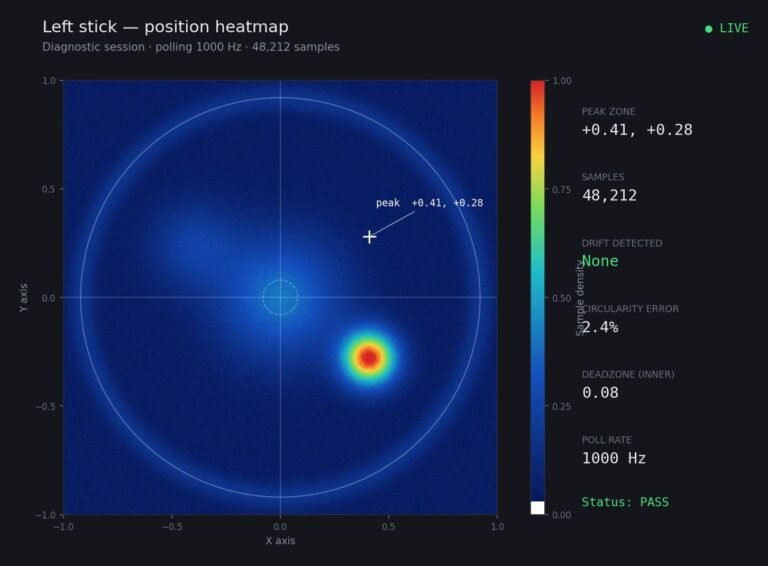
Someone posted a stick drift heatmap in a forum thread asking if their controller was dying: a red and orange blob…
The newest replies from players and the Gamepad Tester Team.