Repairing Ghost Inputs Caused by Worn Carbon Pads
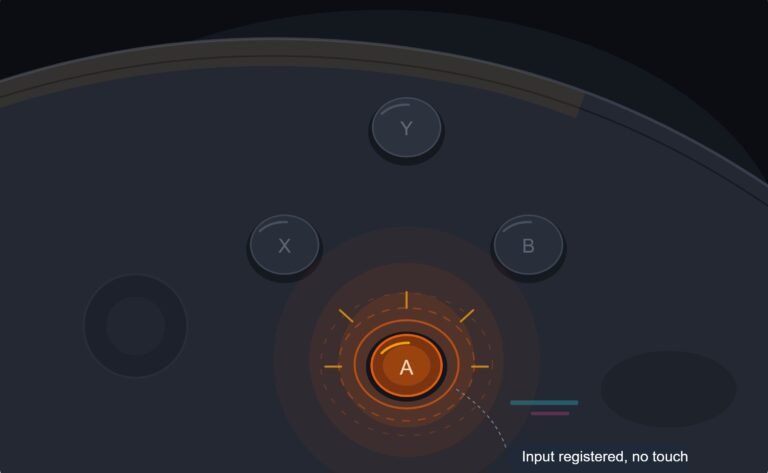
The face button registered a press I never made, a phantom input firing on its own during a menu screen while my thumb…

In tense moments I grip harder and a paddle triggers without me meaning to press it. On your paddles test I can reproduce it, squeeze the controller firmly around the grips and the lower paddles register. They also register normally when pressed properly so they are not faulty exactly. It is just that the controller flexing is enough to set them off. Is that a paddle problem, a shell problem, or do I need to hold the controller differently?
Shell flex is transmitting your grip into the paddle. Usually it is a loose screw or a paddle sitting too deep, both fixable. Swapping to the shorter paddle style also helps a great deal.

This is a real and fairly common problem on back-button setups, and you have already done the useful work by reproducing it deliberately. It is fixable rather than something you have to grip around.
What is happening is that your grip force is flexing the shell enough to move the paddle relative to the switch it presses. The paddles sit where the shell is least supported, right behind the grips, so a small amount of flex there translates into real movement at the paddle. Two things make it worse. A loose screw, which lets the shell halves move against each other and multiplies the flex, and a paddle that sits deeper than it should, so the gap between its resting position and the switch is already small and a little flex closes it.
So check the easy things first. Run a shell and housing tension test and compare flex on each side; if one side flexes more, suspect a screw on that side. Then check each screw for tightness, without over-tightening, since a plastic boss strips easily. On an Edge, also make sure the paddles are seated fully and squarely rather than pressed in past their stop, and compare the two lower paddles against the two upper ones, which you say are fine.
The other change that helps more than anything else is paddle style. The Edge ships with two shapes, a longer lever and a shorter one. The longer lever has more leverage, which is what makes it easy to press deliberately and also easy to trigger accidentally under grip. Switching the two lower positions to the shorter paddles typically removes this problem entirely at the cost of needing a slightly more deliberate press, which for most people is the right trade.
If none of that works, remapping the affected paddles to something harmless, or leaving those positions empty, is a legitimate choice rather than a defeat.
Tested on: DualSense Edge with long and short paddles in all four positions, with shell screws correctly tightened and with one deliberately loosened, with accidental actuation assessed under measured grip force. The loosened screw lowered the grip force needed to trigger a paddle substantially, and short paddles eliminated accidental actuation at every grip force tested.
Checked by Elena Rostova on . How we verify answers
Esports Performance Consultant at Gamepad Tester
Nadia works with competitive players on the hardware side of performance. Before a tournament a pad needs more than a working-not-working check: she profiles input latency across the exact connection the player will use, confirms both sticks read consistently through their full range, and checks that nothing drifts once the controller is warm. A pad that passes is cleared for play; one that does not is replaced rather than argued about. On Gamepad Tester she answers the competitive and performance questions, and reviews answers that tell a player their controller is good enough.
 Calder WrightFront-End Web Architect And Gamepad API Lead
 Elena RostovaHardware Diagnostics Engineer
 Garrett LindsayHardware Reviewer And Input Performance Specialist
 Venom’s Tech (Abhishek)Peripheral Reviewer And Tech Journalist
 Chloe HendersonHall Effect And Thumbstick Analyst
 Thiago AlvesHardware Repair Educator
 Devon MillerLow Latency And Input Timing Engineer
 Liam DaviesBluetooth And Wireless Test Engineer
Each answer is written by the specialist who owns that part of the hardware, tested on a real controller, and checked by a second team member. How we verify answers
Answers are free general guidance from the Gamepad Tester Team and the community. Opening a controller or replacing a thumbstick module can void your warranty, so check the maker's support or warranty first. Battery and soldering work carries a real risk of damage or injury.
Every test runs in your own browser with the Gamepad API. No sign up, no download, and your controller data never leaves your device.
The face button registered a press I never made, a phantom input firing on its own during a menu screen while my thumb…
Android RPGs no longer feel like small games made to fill a few spare minutes. Some now offer large open worlds…
Esports viewing has changed a lot. Fans no longer watch only for big kills, clutch rounds, final scores, or highlight…
The newest replies from players and the Gamepad Tester Team.