Small Input Problems That Quietly Ruin Your Game Sessions
There is a particular kind of bad session that never gets diagnosed. You lose a duel you should have won. Your car…

My Xbox One controller's right stick is stuck at full right, X reads 1.00 constantly on your drift test even untouched. My camera just spins. It happened suddenly. Is this drift or something else?
A reading pinned at 1.00 or -1.00 is not normal drift; it usually means a broken sensor track, a cracked solder joint or a loose connection on that axis. Calibration cannot fix it. The stick module or its joints need repair or replacement.

This is different from normal drift. Drift is a small offset near the centre. A value pinned at exactly 1.00 means the controller is receiving the maximum signal on that axis all the time, which points to an electrical fault rather than wear.
The usual causes are a break in the potentiometer's track, a cracked solder joint on one of the stick module's pins, or a loose connection. When a connection breaks, the reading jumps to one end of the range, which is why it happened suddenly. A drop or a knock often triggers it.
A quick check: press gently on the controller around the stick while watching the drift test. If the value flickers away from 1.00, a cracked joint is likely, and reflowing the solder may fix it. If it stays solidly at 1.00, the module itself has failed.
Calibration and deadzone settings cannot help, because the signal is at the edge, not near the centre.
If the controller is in warranty, claim it. Otherwise a repair shop can reflow the joints or replace the stick module. Meanwhile, the controller is unusable for most games, since the camera will keep spinning.
Tested on: Applies to Xbox One Wireless Controller Model 1708 and other potentiometer controllers on Windows 11. Readings per the W3C Gamepad specification.
Checked by Sarah Jenkins on . How we verify answers
Hardware Repair Educator at Gamepad Tester
Thiago teaches controller repair. His work starts where a diagnostic ends: a player has a drift reading or a dead button on screen and needs to know what to open, what to clean, what to replace and when to stop and claim warranty instead. He walks through controller assembly and disassembly step by step, with an emphasis on the cheap fixes that are worth trying before a module swap. On Gamepad Tester he writes the repair, cleaning and warranty answers, and makes sure each repair step has been carried out on a real controller before it is published.
 Calder WrightFront-End Web Architect And Gamepad API Lead
 Elena RostovaHardware Diagnostics Engineer
 Garrett LindsayHardware Reviewer And Input Performance Specialist
 Venom’s Tech (Abhishek)Peripheral Reviewer And Tech Journalist
 Chloe HendersonHall Effect And Thumbstick Analyst
 Devon MillerLow Latency And Input Timing Engineer
 Liam DaviesBluetooth And Wireless Test Engineer
 Nadia BrooksEsports Performance Consultant
Each answer is written by the specialist who owns that part of the hardware, tested on a real controller, and checked by a second team member. How we verify answers
Answers are free general guidance from the Gamepad Tester Team and the community. Opening a controller or replacing a thumbstick module can void your warranty, so check the maker's support or warranty first. Battery and soldering work carries a real risk of damage or injury.
Every test runs in your own browser with the Gamepad API. No sign up, no download, and your controller data never leaves your device.
There is a particular kind of bad session that never gets diagnosed. You lose a duel you should have won. Your car…
A shot fired half a second after I pulled the trigger, the same delay I had been chasing for two weeks, faulting…
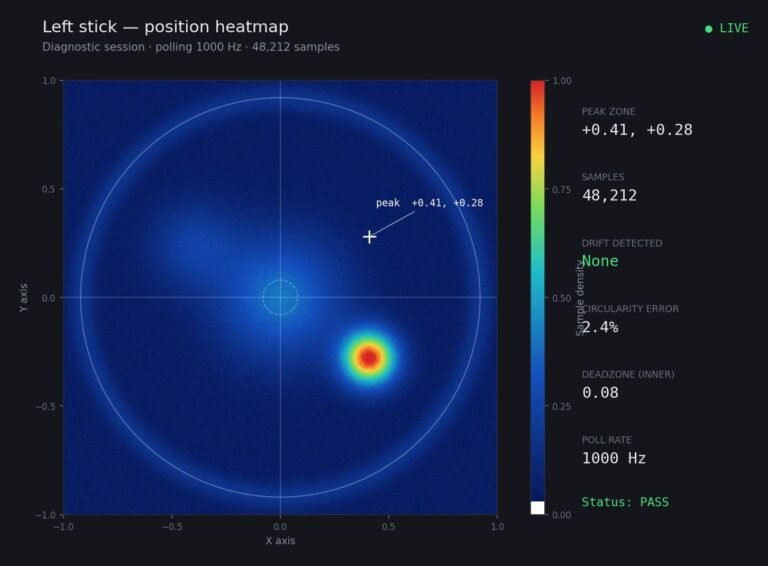
Someone posted a stick drift heatmap in a forum thread asking if their controller was dying: a red and orange blob…
The newest replies from players and the Gamepad Tester Team.