Small Input Problems That Quietly Ruin Your Game Sessions
There is a particular kind of bad session that never gets diagnosed. You lose a duel you should have won. Your car…

I've seen videos saying spray WD-40 into the stick to fix drift, and others saying compressed air. My PS4 left stick reads 0.07 at rest on your test. Which actually works and is anything risky?
Do not use WD-40. It leaves an oily residue that attracts dust and can damage plastics and the sensor track. Compressed air can clear loose dust; isopropyl alcohol at the stick base, with the stick rotated, is the safer cleaning method for early drift.

Please skip the WD-40. It is a water displacer and light lubricant, not a contact cleaner. Sprayed into a stick, it leaves an oily film on the potentiometer's carbon track. That film attracts dust and grime over time, can make the drift worse after a brief improvement, and can soften or damage some plastics and rubber inside the controller.
Compressed air is safe and can help when the cause is loose dust or crumbs around the stick base. It does nothing for a dirty or worn track itself.
The method that works best for early drift like yours is isopropyl alcohol, ideally 90 percent or higher. With the controller off, add two or three drops at the base of the stick, then rotate the stick slowly around its full range 20 to 30 times so the alcohol works into the mechanism. It evaporates quickly and leaves no residue. Let it dry for 15 minutes before testing.
At 0.07, cleaning has a decent chance of bringing it back towards 0.02. If the value returns within weeks, the track is worn and a module replacement is the fix. Contact cleaner made for electronics is another option if you open the controller.
Tested on: Applies to DualShock 4 and other potentiometer controllers on Windows 11 with Chrome or Edge. Cleaning method per our stick drift guides.
Checked by Thiago Alves on . How we verify answers
Data Analyst, Stick Drift And Wear Patterns at Gamepad Tester
Sarah is a data scientist working on stick drift diagnostics. Working from the anonymised test exports players attach to their questions, she looks for the patterns that distinguish a stick that needs recalibrating from one whose potentiometer is physically worn out, and at what point in a module's life the reading usually starts to move. The aim is a practical answer to the question players actually ask: clean it, calibrate it, or replace it. On Gamepad Tester she reviews the drift answers and the thresholds quoted in them.
 Calder WrightFront-End Web Architect And Gamepad API Lead
 Elena RostovaHardware Diagnostics Engineer
 Garrett LindsayHardware Reviewer And Input Performance Specialist
 Venom’s Tech (Abhishek)Peripheral Reviewer And Tech Journalist
 Chloe HendersonHall Effect And Thumbstick Analyst
 Thiago AlvesHardware Repair Educator
 Devon MillerLow Latency And Input Timing Engineer
 Liam DaviesBluetooth And Wireless Test Engineer
Each answer is written by the specialist who owns that part of the hardware, tested on a real controller, and checked by a second team member. How we verify answers
Answers are free general guidance from the Gamepad Tester Team and the community. Opening a controller or replacing a thumbstick module can void your warranty, so check the maker's support or warranty first. Battery and soldering work carries a real risk of damage or injury.
Every test runs in your own browser with the Gamepad API. No sign up, no download, and your controller data never leaves your device.
There is a particular kind of bad session that never gets diagnosed. You lose a duel you should have won. Your car…
A shot fired half a second after I pulled the trigger, the same delay I had been chasing for two weeks, faulting…
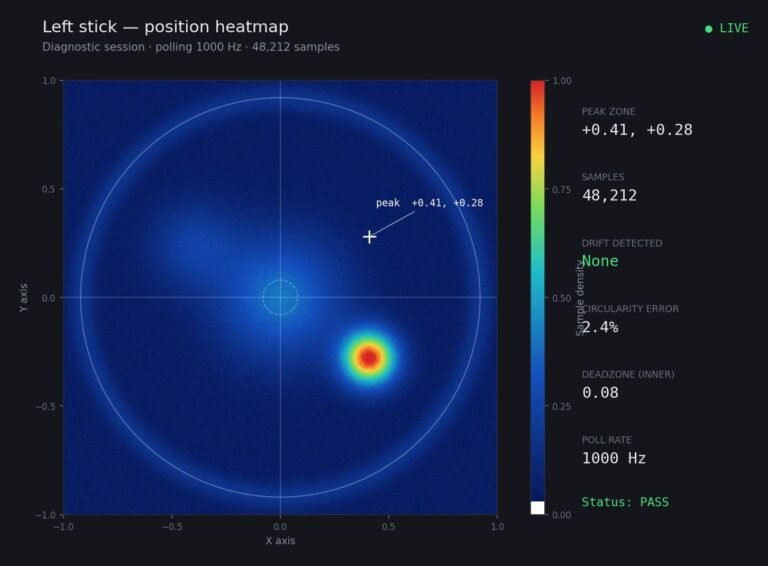
Someone posted a stick drift heatmap in a forum thread asking if their controller was dying: a red and orange blob…
The newest replies from players and the Gamepad Tester Team.