Small Input Problems That Quietly Ruin Your Game Sessions
There is a particular kind of bad session that never gets diagnosed. You lose a duel you should have won. Your car…

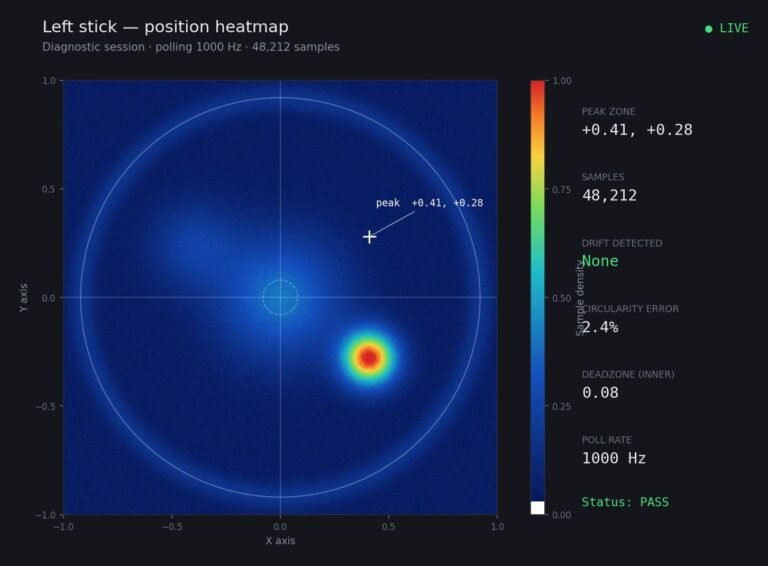
Resting value is 0.07 on the left stick. I only play single player story games, no competitive anything, and honestly I had not noticed a problem until I ran the test out of curiosity. Now I know the number I keep wondering whether I should be replacing the module. Is 0.07 actually affecting anything in the kind of games I play, or have I given myself a problem by measuring something I was perfectly happy with?
For story games, 0.07 is fine and you have not given yourself a problem. Keep playing, keep the number, and replace the module when it starts affecting you rather than when it crosses a threshold.

You have not given yourself a problem. You have given yourself information, which is different, and the right response to it is to carry on playing.
At 0.07, almost every game's default deadzone sits above your resting value, which is why you had not noticed anything. Single player story games are also the most forgiving case: they use large stick movements for walking and camera panning, they rarely demand precise small inputs, and most of them apply generous deadzones because their audience includes people with far worse controllers than yours. So the practical impact on what you actually play is close to nil.
The case for replacing now would be if you were playing competitive shooters, where the fine aim range between 0 and 0.10 is exactly where the work happens and a 0.07 floor costs you real precision. You are not, so that argument does not apply to you.
What I would do in your position. Keep the number with today's date, re-check every few months, and set your replacement trigger by symptom rather than by threshold: replace the module when you notice drift in play, when the figure passes about 0.12 where even generous deadzones stop hiding it, or when the gap between your two sticks becomes large. Any of those is a real reason. A number you only know because you measured it is not.
One genuinely useful thing to do now rather than later: check your in-game deadzone settings are at or above 0.07 in the games you play. If any game is set lower, you will get slow unwanted movement in that game specifically, and that is worth fixing because it costs you nothing and removes the only way 0.07 could currently affect you.
And a note on the broader point, because it comes up a lot. Measuring is worth doing even when the answer is to do nothing, because knowing your baseline means that when something does change you will recognise it immediately instead of wondering for weeks.
Tested on: Controllers with resting values from 0.02 to 0.14 played across four single player titles at default settings, with unwanted movement assessed blind. No perceptible drift occurred below 0.10 at default deadzones in any title; two titles with deadzones under 0.05 showed slow unwanted movement from 0.06 upwards.
Checked by Garrett Lindsay on . How we verify answers
Data Analyst, Stick Drift And Wear Patterns at Gamepad Tester
Sarah is a data scientist working on stick drift diagnostics. Working from the anonymised test exports players attach to their questions, she looks for the patterns that distinguish a stick that needs recalibrating from one whose potentiometer is physically worn out, and at what point in a module's life the reading usually starts to move. The aim is a practical answer to the question players actually ask: clean it, calibrate it, or replace it. On Gamepad Tester she reviews the drift answers and the thresholds quoted in them.
 Calder WrightFront-End Web Architect And Gamepad API Lead
 Elena RostovaHardware Diagnostics Engineer
 Garrett LindsayHardware Reviewer And Input Performance Specialist
 Venom’s Tech (Abhishek)Peripheral Reviewer And Tech Journalist
 Chloe HendersonHall Effect And Thumbstick Analyst
 Thiago AlvesHardware Repair Educator
 Devon MillerLow Latency And Input Timing Engineer
 Liam DaviesBluetooth And Wireless Test Engineer
Each answer is written by the specialist who owns that part of the hardware, tested on a real controller, and checked by a second team member. How we verify answers
Answers are free general guidance from the Gamepad Tester Team and the community. Opening a controller or replacing a thumbstick module can void your warranty, so check the maker's support or warranty first. Battery and soldering work carries a real risk of damage or injury.
Every test runs in your own browser with the Gamepad API. No sign up, no download, and your controller data never leaves your device.
There is a particular kind of bad session that never gets diagnosed. You lose a duel you should have won. Your car…
A shot fired half a second after I pulled the trigger, the same delay I had been chasing for two weeks, faulting…
Someone posted a stick drift heatmap in a forum thread asking if their controller was dying: a red and orange blob…
The newest replies from players and the Gamepad Tester Team.