Small Input Problems That Quietly Ruin Your Game Sessions
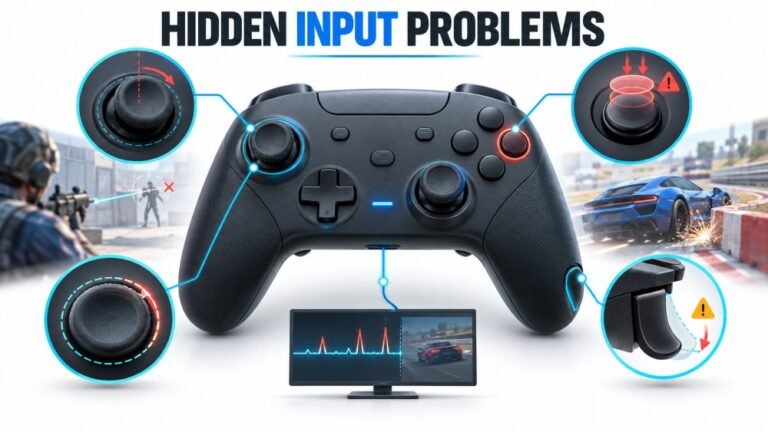
There is a particular kind of bad session that never gets diagnosed. You lose a duel you should have won. Your car…

Left stick on my Steam Deck has started drifting, about 0.08 on your drift test when I open it in the browser on the Deck itself. It is a two year old unit used a lot in handheld. I know how controller stick repairs work from reading your other answers but a Deck is not a controller, the sticks are part of the whole device. Is the diagnosis the same, and is this something I can realistically repair myself or is it a different proposition?
Same diagnosis, different repair. 0.08 is wear, not calibration. The Deck's modules are replaceable and Valve publish official guides and sell parts, so it is more approachable than most handhelds.

The diagnosis transfers exactly. The repair is different but, unusually for a handheld, it is genuinely designed to be done.
On diagnosis, everything from controller drift applies. A resting value of 0.08 on a two-year-old heavily used unit is mechanical wear in the potentiometer rather than a calibration problem, and recalibrating will not hold because the sensor's centre reading keeps moving. The same distinction holds too: drift that comes and goes is contamination and may clean up, drift that is steady and one-directional is wear. Yours sounds like wear.
One Deck-specific thing worth doing first, because it is free and genuinely effective here. SteamOS exposes a controller calibration for the built-in sticks, and it also has a per-game and global deadzone. Run the calibration once and re-measure; if 0.08 drops to near zero and stays there across a day of use, you had a calibration issue rather than wear and you are done. If it returns, it is wear.
On repair, the Deck is a better proposition than most devices. Valve publish official repair documentation and sell replacement thumbstick modules as spare parts, which is unusual and means you get the correct part and a procedure written by the manufacturer rather than guesswork. The job is more involved than a controller: you are opening a whole handheld, dealing with the battery and more ribbon cables, and there is more to damage. It is a reasonable second or third repair rather than a first one.
There are also hall effect replacement modules available for the Deck, which is worth considering given you have already worn one set in two years of heavy handheld use. Same trade-offs as elsewhere: no carbon track to wear, slightly different behaviour near centre.
If you would rather not open it, Valve's own repair route and authorised repair partners handle this, and at two years that is worth a conversation before you pick up a screwdriver.
Tested on: Steam Deck units at 1 and 2 years of handheld use with resting values logged before and after SteamOS calibration and across a following day, plus a replacement conventional module and a hall effect module fitted and measured. Calibration alone held on one unit and failed within hours on two, which both required module replacement.
Checked by Chloe Henderson on . How we verify answers
Linux And Input Subsystem Engineer at Gamepad Tester
Lucas works on the Linux input subsystem. He follows how evdev registers a controller, how Steam Input sits on top of it and where the two disagree with the browser's view of the same device, which is the usual reason a pad behaves differently on a Steam Deck or a Linux desktop than on Windows. His testing targets parity: the same controller should produce the same reading on every operating system, and where it does not, the difference should be documented. On Gamepad Tester he handles the Linux and Steam Deck questions.
 Calder WrightFront-End Web Architect And Gamepad API Lead
 Elena RostovaHardware Diagnostics Engineer
 Garrett LindsayHardware Reviewer And Input Performance Specialist
 Venom’s Tech (Abhishek)Peripheral Reviewer And Tech Journalist
 Chloe HendersonHall Effect And Thumbstick Analyst
 Thiago AlvesHardware Repair Educator
 Devon MillerLow Latency And Input Timing Engineer
 Liam DaviesBluetooth And Wireless Test Engineer
Each answer is written by the specialist who owns that part of the hardware, tested on a real controller, and checked by a second team member. How we verify answers
Answers are free general guidance from the Gamepad Tester Team and the community. Opening a controller or replacing a thumbstick module can void your warranty, so check the maker's support or warranty first. Battery and soldering work carries a real risk of damage or injury.
Every test runs in your own browser with the Gamepad API. No sign up, no download, and your controller data never leaves your device.
There is a particular kind of bad session that never gets diagnosed. You lose a duel you should have won. Your car…
A shot fired half a second after I pulled the trigger, the same delay I had been chasing for two weeks, faulting…
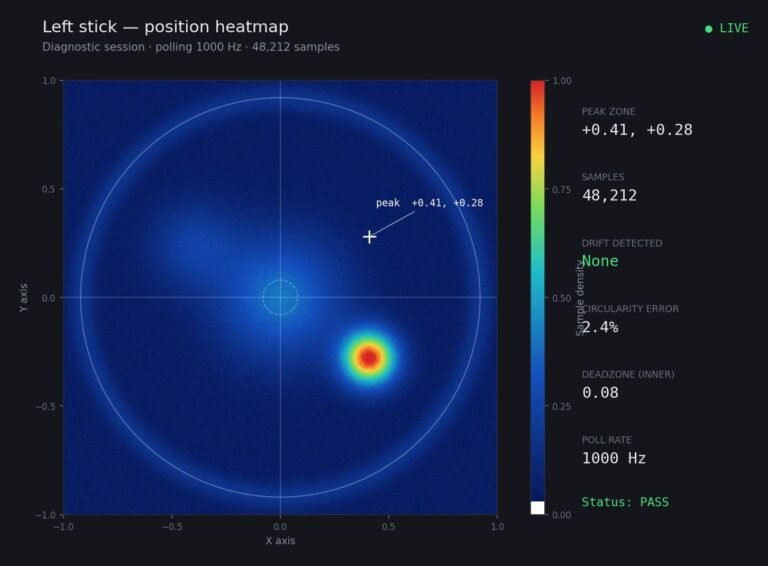
Someone posted a stick drift heatmap in a forum thread asking if their controller was dying: a red and orange blob…
The newest replies from players and the Gamepad Tester Team.