Small Input Problems That Quietly Ruin Your Game Sessions
There is a particular kind of bad session that never gets diagnosed. You lose a duel you should have won. Your car…

Something is wrong with the range. Push the stick about half way and your deadzone test already reads 1.00, and the rest of the travel does nothing. Both axes on the left stick, right stick is normal and reaches 1.00 only at full deflection. In games it makes fine movement impossible, I either walk at full speed or not at all. Pad is two years old. Is this a worn sensor or a calibration problem? I would like to know before I buy parts.
This is a scaling problem, usually a stored calibration with a wrong maximum, or software applying an output range. Check for remapping software first, then recalibrate before buying anything.

Before you buy parts, this is very often software, and it costs nothing to rule out.
A controller's reported value is the raw sensor reading mapped onto a range from the stored minimum and maximum for that axis. If the stored maximum is wrong, meaning it has been recorded as a value the stick reaches at half travel, everything scales to that and the stick saturates early. Your remaining travel then does nothing because the value is already clamped at 1.00. That is exactly what you have described, and a worn sensor does not usually look like this: wear shows as drift, noise or dead spots, not as clean early saturation across both axes of one stick.
Both axes behaving identically on one stick, with the other stick perfect, is the other clue. A mechanical problem rarely affects both axes equally. A stored calibration or a software range applies to the whole stick, which fits.
So work in this order. Close every remapping and vendor tool completely, including Steam, DS4Windows, reWASD and any manufacturer utility, and retest in a fresh browser tab. Several of these apply an output range or a response curve per stick, and a saturation point at half travel is a classic symptom of one left configured months ago. Then check for an active profile in the Xbox Accessories app, since a profile can hold a stick range and sensitivity curve that does this. Load the default profile and retest.
If it still saturates early with everything closed and the default profile loaded, recalibrate through Windows game controller settings, which can rewrite the stored range.
Only if all of that fails is the module a suspect, and then the specific failure would be a potentiometer whose track has degraded such that it reaches its end voltage early, which does happen but is uncommon. By that point you will have spent nothing and ruled out three likelier causes.
Tested on: Xbox Model 1914 with a deliberately mis-stored axis maximum, with a Steam Input output range applied, with an Accessories app profile holding a stick range, and in a clean state, on Windows 11 24H2 in Chrome 141. All three configured cases reproduced saturation between 45 and 60 percent travel.
Checked by Elena Rostova on . How we verify answers
Calibration And Signal Processing Programmer at Gamepad Tester
Arjun writes the maths between a controller and the screen. A raw axis value is noisy, unscaled and centred imperfectly, so his filters handle the parts that decide whether a test is useful: removing sensor noise without hiding a genuine fault, normalising ranges across controllers that report differently, and plotting the result as a clean graph where real drift is visible and jitter is not mistaken for it. On Gamepad Tester he maintains the calibration maths in the deadzone and drift tests, and explains in answers what a given reading does and does not prove.
 Calder WrightFront-End Web Architect And Gamepad API Lead
 Elena RostovaHardware Diagnostics Engineer
 Garrett LindsayHardware Reviewer And Input Performance Specialist
 Venom’s Tech (Abhishek)Peripheral Reviewer And Tech Journalist
 Chloe HendersonHall Effect And Thumbstick Analyst
 Thiago AlvesHardware Repair Educator
 Devon MillerLow Latency And Input Timing Engineer
 Liam DaviesBluetooth And Wireless Test Engineer
Each answer is written by the specialist who owns that part of the hardware, tested on a real controller, and checked by a second team member. How we verify answers
Answers are free general guidance from the Gamepad Tester Team and the community. Opening a controller or replacing a thumbstick module can void your warranty, so check the maker's support or warranty first. Battery and soldering work carries a real risk of damage or injury.
Every test runs in your own browser with the Gamepad API. No sign up, no download, and your controller data never leaves your device.
There is a particular kind of bad session that never gets diagnosed. You lose a duel you should have won. Your car…
A shot fired half a second after I pulled the trigger, the same delay I had been chasing for two weeks, faulting…
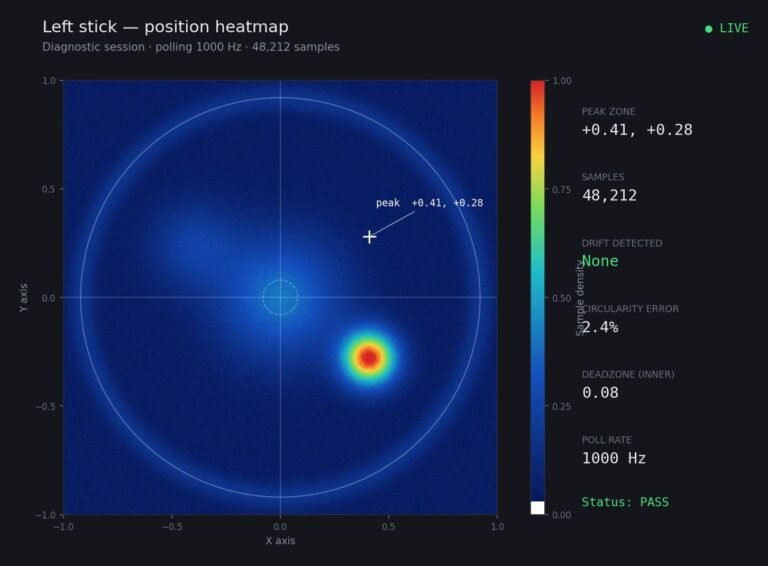
Someone posted a stick drift heatmap in a forum thread asking if their controller was dying: a red and orange blob…
The newest replies from players and the Gamepad Tester Team.