Small Input Problems That Quietly Ruin Your Game Sessions
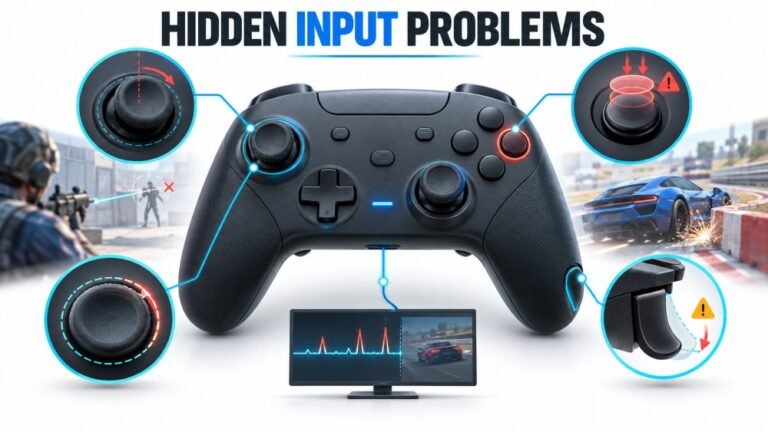
There is a particular kind of bad session that never gets diagnosed. You lose a duel you should have won. Your car…

Not drift exactly. When I hold my right stick at a fixed angle, the numbers on your jitter test keep wobbling by about 0.02 to 0.04. My aim in Valorant on controller (yes I know) feels slightly shaky at long range. Is this normal noise or a bad stick? Xbox Series controller.
Some jitter is normal sensor noise, plus a little from your thumb. Movement of 0.02 to 0.04 while held is on the high side of normal. Test it resting on a table to separate thumb from sensor, then decide.

Jitter and drift are different. Drift is a wrong reading at rest; jitter is a reading that wobbles around a position. Every analog sensor has some noise, so a small wobble is expected. The question is how much, and whether it comes from the stick or from you.
When you hold a stick at an angle, your thumb is not perfectly still either. Tiny muscle tremor alone can move the value by around 0.01. So a held reading of 0.02 to 0.04 combines sensor noise and thumb movement, and it is on the higher side of normal for a potentiometer stick.
To separate them, measure with no thumb at all: let the stick rest at centre on a table and watch the jitter there. A healthy stick at rest wobbles by about 0.01 or less. If the resting jitter is close to what you see when holding, the sensor is noisy, often a sign of a worn or dirty track. If resting jitter is tiny, most of what you saw is your thumb, and a small deadzone or lower sensitivity at long range will help more than any repair.
Noisy potentiometers often improve after a clean, and a stick module replacement fixes worn ones.
Tested on: Applies to Xbox Wireless Controller Model 1914 on Windows 11 with Firefox, Chrome or Edge. Noise figures per the bands used in our stick test guides.
Checked by Arjun Mehta on . How we verify answers
Data Analyst, Stick Drift And Wear Patterns at Gamepad Tester
Sarah is a data scientist working on stick drift diagnostics. Working from the anonymised test exports players attach to their questions, she looks for the patterns that distinguish a stick that needs recalibrating from one whose potentiometer is physically worn out, and at what point in a module's life the reading usually starts to move. The aim is a practical answer to the question players actually ask: clean it, calibrate it, or replace it. On Gamepad Tester she reviews the drift answers and the thresholds quoted in them.
 Calder WrightFront-End Web Architect And Gamepad API Lead
 Elena RostovaHardware Diagnostics Engineer
 Garrett LindsayHardware Reviewer And Input Performance Specialist
 Venom’s Tech (Abhishek)Peripheral Reviewer And Tech Journalist
 Chloe HendersonHall Effect And Thumbstick Analyst
 Thiago AlvesHardware Repair Educator
 Devon MillerLow Latency And Input Timing Engineer
 Liam DaviesBluetooth And Wireless Test Engineer
Each answer is written by the specialist who owns that part of the hardware, tested on a real controller, and checked by a second team member. How we verify answers
Answers are free general guidance from the Gamepad Tester Team and the community. Opening a controller or replacing a thumbstick module can void your warranty, so check the maker's support or warranty first. Battery and soldering work carries a real risk of damage or injury.
Every test runs in your own browser with the Gamepad API. No sign up, no download, and your controller data never leaves your device.
There is a particular kind of bad session that never gets diagnosed. You lose a duel you should have won. Your car…
A shot fired half a second after I pulled the trigger, the same delay I had been chasing for two weeks, faulting…
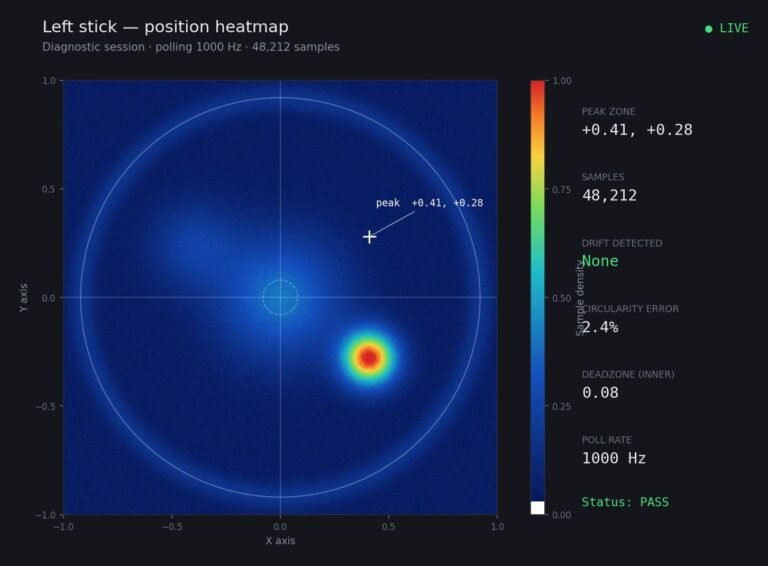
Someone posted a stick drift heatmap in a forum thread asking if their controller was dying: a red and orange blob…
The newest replies from players and the Gamepad Tester Team.