Small Input Problems That Quietly Ruin Your Game Sessions
There is a particular kind of bad session that never gets diagnosed. You lose a duel you should have won. Your car…

Noticed something strange while testing. Move the left stick in a circle and the right stick's values twitch slightly at the same time, maybe 0.01 to 0.02, even though I am not touching it. Both sticks are clean at rest and full range is fine. It is small enough that it probably does not matter in games but I would like to understand it. Is this electrical crosstalk, mechanical flex, or something I should be concerned about?
Mechanical flex rather than electrical crosstalk. Moving one stick flexes the board slightly, which nudges the other stick's sensor. At 0.01 to 0.02 it is normal and harmless.

This is real, it is mechanical, and at your magnitude it is normal. Nice observation though, because very few people notice it.
Both stick modules are mounted on the same circuit board. When you push a stick, you are applying force through its mounting points into that board. The board flexes by a very small amount, and the other module flexes with it, which moves its potentiometer wiper a fraction. The sensor reports that honestly and you see a twitch of 0.01 to 0.02. It correlates with your movement because it is caused by it.
You can confirm which mechanism you have, which is worth doing. Electrical crosstalk would produce a twitch that tracks the moving stick's value smoothly and appears even on the lightest movement. Mechanical flex correlates with force rather than position, so it appears most when you push hard against the stick's end stop and barely at all when you move the stick gently through the middle of its range. Try both: slow gentle circles versus pressing firmly into a corner. If the twitch is much larger when you push hard, it is flex, which is what I would expect.
Magnitude is what decides whether it matters. Up to about 0.02 is normal across the controllers we have measured, and every game's deadzone sits above that, so it has no practical effect. Above about 0.05 it would start crossing low in-game deadzones and showing up as a small unwanted input when you move the other stick, which in a shooter would be noticeable as your aim drifting when you move. That would point at a loose board, usually a screw that has backed out, or a cracked mounting boss, and it would be worth opening the controller to check.
So record your figure and leave it. If it grows, check the screws before suspecting anything else.
Tested on: Eleven controllers measured for cross-stick deflection under gentle movement and firm end-stop pressure, including two with a deliberately loosened board screw. Normal units showed 0.008 to 0.019 under firm pressure and under 0.005 under gentle movement; the loosened units reached 0.061 and 0.074.
Checked by Gabriel Silva on . How we verify answers
Calibration And Signal Processing Programmer at Gamepad Tester
Arjun writes the maths between a controller and the screen. A raw axis value is noisy, unscaled and centred imperfectly, so his filters handle the parts that decide whether a test is useful: removing sensor noise without hiding a genuine fault, normalising ranges across controllers that report differently, and plotting the result as a clean graph where real drift is visible and jitter is not mistaken for it. On Gamepad Tester he maintains the calibration maths in the deadzone and drift tests, and explains in answers what a given reading does and does not prove.
 Calder WrightFront-End Web Architect And Gamepad API Lead
 Elena RostovaHardware Diagnostics Engineer
 Garrett LindsayHardware Reviewer And Input Performance Specialist
 Venom’s Tech (Abhishek)Peripheral Reviewer And Tech Journalist
 Chloe HendersonHall Effect And Thumbstick Analyst
 Thiago AlvesHardware Repair Educator
 Devon MillerLow Latency And Input Timing Engineer
 Liam DaviesBluetooth And Wireless Test Engineer
Each answer is written by the specialist who owns that part of the hardware, tested on a real controller, and checked by a second team member. How we verify answers
Answers are free general guidance from the Gamepad Tester Team and the community. Opening a controller or replacing a thumbstick module can void your warranty, so check the maker's support or warranty first. Battery and soldering work carries a real risk of damage or injury.
Every test runs in your own browser with the Gamepad API. No sign up, no download, and your controller data never leaves your device.
There is a particular kind of bad session that never gets diagnosed. You lose a duel you should have won. Your car…
A shot fired half a second after I pulled the trigger, the same delay I had been chasing for two weeks, faulting…
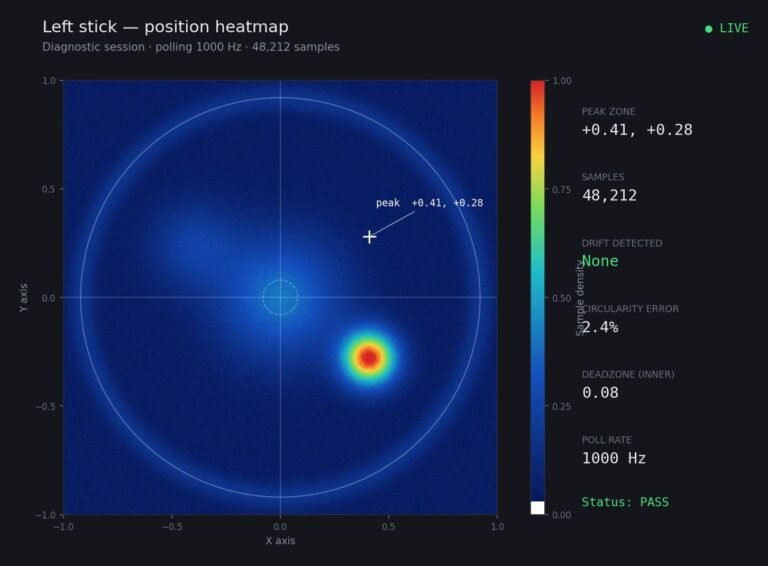
Someone posted a stick drift heatmap in a forum thread asking if their controller was dying: a red and orange blob…
The newest replies from players and the Gamepad Tester Team.