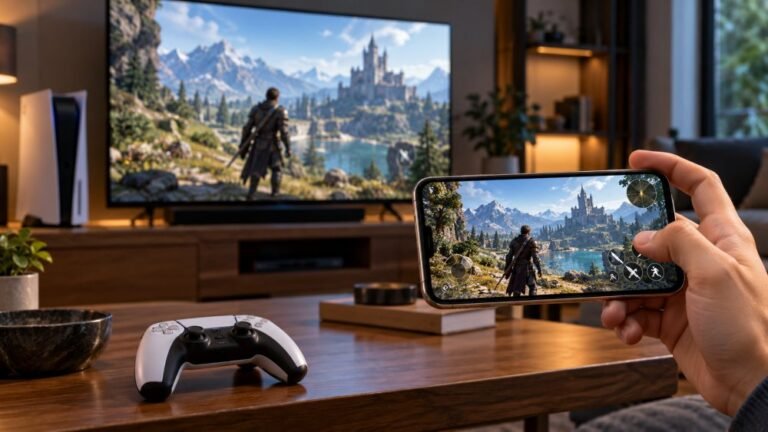
Smart Floor Lamp Setup For Your Gaming Room: A Beginner’s Matter Guide
A good gaming setup is more than a fast controller and a sharp screen. The light around you changes how long you can…

Pressing the Share button on my Xbox Series controller does nothing. No screenshot, no recording. The button lights up in your button test on my PC so it's not broken. What setting stops it on the console?
Since the button works in the test, it is a console setting. Check the capture settings under Preferences, Capture and share, check the Share button has not been remapped in the Xbox Accessories app, and free up capture storage.

Your button test result is the key clue: the Share button sends its signal, so the console is choosing not to act on it.
Capture settings. In Settings, Preferences, Capture and share, check that game captures are allowed. You can also choose what a press and a hold do, such as screenshot on press and record on hold.
Remapping. In the Xbox Accessories app on the console, check the controller's button mapping. If the Share button was remapped to something else, it will not capture.
Storage. If capture storage is full, captures can fail. Check available space in the capture settings and delete old captures or upload them.
Apps that block captures. Some apps, especially video streaming apps, block captures by design, so the button does nothing there.
Also update the controller firmware through the console's accessories settings, which keeps the Share button behaving as expected.
Tested on: Applies to Xbox Series X|S consoles and Xbox Wireless Controllers with a Share button. Menu names can change with console updates.
Checked by Tyler Vance on . How we verify answers
Low Level Systems Programmer at Gamepad Tester
Gabriel is a low-level C programmer working on desktop input architecture. He builds native tooling that samples stick and trigger telemetry at sub-millisecond intervals, below the rate a browser can reach, which gives a reference measurement to compare a web test against. When a browser reading looks wrong, his capture is how the team confirms whether the controller, the operating system or the page is at fault. On Gamepad Tester he provides the reference measurements behind the latency and drift answers.
 Calder WrightFront-End Web Architect And Gamepad API Lead
 Elena RostovaHardware Diagnostics Engineer
 Garrett LindsayHardware Reviewer And Input Performance Specialist
 Venom’s Tech (Abhishek)Peripheral Reviewer And Tech Journalist
 Chloe HendersonHall Effect And Thumbstick Analyst
 Thiago AlvesHardware Repair Educator
 Devon MillerLow Latency And Input Timing Engineer
 Liam DaviesBluetooth And Wireless Test Engineer
Each answer is written by the specialist who owns that part of the hardware, tested on a real controller, and checked by a second team member. How we verify answers
Answers are free general guidance from the Gamepad Tester Team and the community. Opening a controller or replacing a thumbstick module can void your warranty, so check the maker's support or warranty first. Battery and soldering work carries a real risk of damage or injury.
Every test runs in your own browser with the Gamepad API. No sign up, no download, and your controller data never leaves your device.
A good gaming setup is more than a fast controller and a sharp screen. The light around you changes how long you can…
Mobile gaming has become an increasingly popular way to enjoy video games, with smartphones now capable of running…
There is a particular kind of bad session that never gets diagnosed. You lose a duel you should have won. Your car…
The newest replies from players and the Gamepad Tester Team.