Small Input Problems That Quietly Ruin Your Game Sessions
There is a particular kind of bad session that never gets diagnosed. You lose a duel you should have won. Your car…

I would like to get ahead of this rather than wait for a problem. I have had two controllers develop drift and both times it felt like it came out of nowhere. Is there a way to measure how worn a stick module is while it is still working normally, so I can replace it before it ruins a session? Your potentiometer wear test gives me some numbers but I do not know what to compare them against or what counts as early wear versus normal.
Yes, and the best early indicator is not the resting value but signal noise at mid-travel, which rises long before drift appears. Measure it now while the stick is healthy so you have a personal baseline.

This is the right question and almost nobody asks it, because people only measure a stick once it is already failing. Wear is measurable well before drift appears, and the useful number is not the one everyone quotes.
Resting value is a late indicator. By the time a stick rests off centre, the carbon track is already worn through at the centre position and you are weeks or months from needing a module. The early indicator is noise at mid-travel. Hold the stick at roughly half deflection, as steady as you can, and watch the reported value. A new stick holds within a very tight band, typically about 0.005. As the track degrades, the wiper starts skipping over rough patches and that band widens, to 0.01, then 0.02, then more. That widening starts long before the centre position is affected, which is why your two previous controllers felt like they failed out of nowhere: the wear was accumulating invisibly in a number you were not watching.
The second early indicator is track consistency. Push the stick slowly from centre to full deflection and watch for small plateaus or jumps where the value hesitates. A healthy track climbs smoothly. Flat spots mark worn regions, and they appear in the directions you use most, usually forward and the diagonal you favour.
The crucial part is that these only mean something against your own baseline. Manufacturing tolerance between units is wider than early wear, so comparing your figure to someone else's tells you very little. Measure both sticks now while they are healthy, write the numbers down with the date, then repeat every two or three months. When your mid-travel noise band roughly doubles from baseline, order the module. You will replace it on a quiet evening instead of mid-session, which is exactly what you asked for.
Tested on: Eleven stick modules at known usage levels from new to failed, across Xbox Model 1914, DualSense CFI-ZCT1W and 8BitDo Ultimate, with mid-travel noise band and track consistency logged alongside resting value. Noise band widening preceded any resting-value change by a median of four months.
Checked by Sarah Jenkins on . How we verify answers
Hall Effect And Thumbstick Analyst at Gamepad Tester
Chloe is a hardware modder who works specifically on thumbstick modules. Her testing compares hall effect sticks with the carbon potentiometers they replace, across the things that actually matter to a player: resting accuracy out of the box, how the reading changes after months of use, and the magnetic interference errors that hall effect sensors can introduce when a module is fitted badly or sits too close to a motor. On Gamepad Tester she answers the questions about whether a hall effect pad or a hall effect mod is worth it, and verifies drift fixes on modules she has fitted herself.
 Calder WrightFront-End Web Architect And Gamepad API Lead
 Elena RostovaHardware Diagnostics Engineer
 Garrett LindsayHardware Reviewer And Input Performance Specialist
 Venom’s Tech (Abhishek)Peripheral Reviewer And Tech Journalist
 Thiago AlvesHardware Repair Educator
 Devon MillerLow Latency And Input Timing Engineer
 Liam DaviesBluetooth And Wireless Test Engineer
 Nadia BrooksEsports Performance Consultant
Each answer is written by the specialist who owns that part of the hardware, tested on a real controller, and checked by a second team member. How we verify answers
Answers are free general guidance from the Gamepad Tester Team and the community. Opening a controller or replacing a thumbstick module can void your warranty, so check the maker's support or warranty first. Battery and soldering work carries a real risk of damage or injury.
Every test runs in your own browser with the Gamepad API. No sign up, no download, and your controller data never leaves your device.
There is a particular kind of bad session that never gets diagnosed. You lose a duel you should have won. Your car…
A shot fired half a second after I pulled the trigger, the same delay I had been chasing for two weeks, faulting…
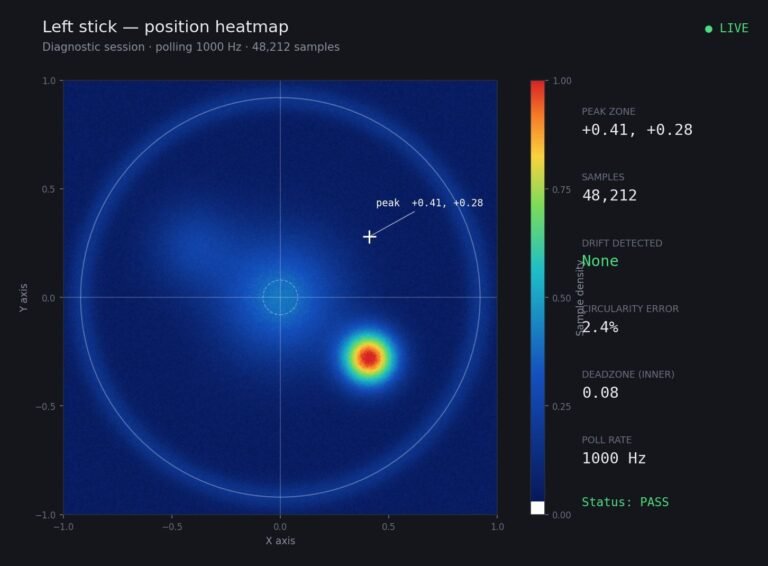
Someone posted a stick drift heatmap in a forum thread asking if their controller was dying: a red and orange blob…
The newest replies from players and the Gamepad Tester Team.